Tech Wavo
  • Home
  • Technology
  • Computers
  • Gadgets
  • Mobile
  • Apps
  • News
  • Financial
  • Stock
Tech Wavo
No Result
View All Result

Not vibing with Liquid Glass in iOS 26? Here’s how to make it easier on the eyes

Tech Wavo by Tech Wavo
September 16, 2025
in Computers
0


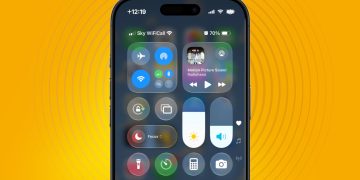
iOS 26 is now rolling out to compatible iPhones, but the switch to Apple’s new Liquid Glass interface has left some users feeling a little sore in the head.

“The glass design makes it look heavy and mentally draining,” one Reddit user wrote, while another complained, “it made me dizzy just looking at it.”

While personally I’m not ready to condemn the new design to the ‘flop’ heap just yet, I can understand the frustration. Liquid Glass gives menus and interface elements a see-through, glass-like quality; iOS 26 is a big change, and one that will take some getting used to.


You may like

However, if you’re sure that the default look of Liquid Glass isn’t for you, there are a couple of ways that you can reduce its intensity.

Increase Contrast

Liquid Glass interface in iOS 26

Regular Liquid Glass interface (left) vs Increase Contrast (right) (Image credit: Future)

First, to tone down Liquid Glass effects without totally removing them, there’s a handy ‘Increase Contrast’ option in Settings. To find it, head to Settings, Accessibility, Display & Text Size, then toggle the Increase Contrast slider.

This option does as its name describes: it ups the contrast, so interface elements are more defined. Increase Contrast keeps the translucency, but it removes Liquid Glass’ softness, giving icons a more visible border.

See the image above to get a sense of what I mean – the change is particularly noticeable in the Control Center.

Sign up for breaking news, reviews, opinion, top tech deals, and more.

Reduce Transparency

Liquid Glass interface in iOS 26

Regular Liquid Glass interface (left) vs Reduce Transparency (right) (Image credit: Future)

The second, more drastic, option is Reduce Transparency, which removes almost all the translucency from iOS 26.

To turn it on, go to the same Settings page (Settings > Accessibility > Display & Text Size), then toggle the Reduce Transparency option.

Again, the Control Center is a good place to see this change in action. In both images (above), I’ve accessed the Control Center from the Home Screen, but the Home Screen is only visible in the first image (when Reduce Transparency isn’t enabled). When Reduce Transparency is enabled, the background appears as a block color.

Both together

Liquid Glass interface in iOS 26

Regular Liquid Glass interface (left) vs Increase Contrast and Reduce Transparency combined (right) (Image credit: Future)

If you really don’t like Liquid Glass, you can toggle both of those aforementioned options (Increase Contrast and Reduce Transparency) simultaneously. This gives you the sharper edges and removes the translucency, making everything much clearer.

For me, this combination is a little too much, but I’m going to give all three options (Liquid Glass default, Increase Contrast, and Reduce Transparency) a try for an extended period of time to see which one I prefer.


What do you think? Do you love or hate Liquid Glass? Let us know in the comments section below. And if you’re still undecided on Apple’s latest software update, check out our roundup of five must-try features in iOS 26.


You might also like

Previous Post

The US version of TikTok might still use the Chinese algorithm

Next Post

This $30M startup built a dog crate-sized robot factory that learns by watching humans

Next Post
This $30M startup built a dog crate-sized robot factory that learns by watching humans

This $30M startup built a dog crate-sized robot factory that learns by watching humans

Leave a Reply Cancel reply

Your email address will not be published. Required fields are marked *

Sony and other music labels settle copyright lawsuit against the Internet Archive

by Tech Wavo
September 16, 2025
0
Sony and other music labels settle copyright lawsuit against the Internet Archive
Computers

In 2023, Sony Music Entertainment, Universal Music Group and a handful of other music labels filed a lawsuit against the...

Read more

The Best Ventless Fireplaces for Cozy Vibes (2025)

by Tech Wavo
September 16, 2025
0
The Best Ventless Fireplaces for Cozy Vibes (2025)
Computers

The Lloyd from Solo Stove pays serious homage to the freestanding mid-century enameled MCM Preway fireplaces that fetch thousands on...

Read more

This $30M startup built a dog crate-sized robot factory that learns by watching humans

by Tech Wavo
September 16, 2025
0
This $30M startup built a dog crate-sized robot factory that learns by watching humans
Computers

While many robotics companies are building human-sized robots, or working to automate entire factories, MicroFactory is instead trying to think...

Read more

Not vibing with Liquid Glass in iOS 26? Here’s how to make it easier on the eyes

by Tech Wavo
September 16, 2025
0
Not vibing with Liquid Glass in iOS 26? Here’s how to make it easier on the eyes
Computers

iOS 26 is now rolling out to compatible iPhones, but the switch to Apple’s new Liquid Glass interface has left...

Read more

Site links

  • Home
  • About Us
  • Contact Us
  • Privacy Policy
  • Terms of use
  • Home
  • About Us
  • Contact Us
  • Privacy Policy
  • Terms of use

No Result
View All Result
  • Home
  • Technology
  • Computers
  • Gadgets
  • Mobile
  • Apps
  • News
  • Financial
  • Stock