Apple’s iOS 26 delivers a comprehensive update packed with features that enhance personalization, functionality, and the overall user experience. Whether you’re a casual user or a tech enthusiast, this update introduces tools designed to make your device smarter, more intuitive, and uniquely tailored to your needs. Here’s an in-depth look at the standout features that deserve your attention in an awesome new video from Stephen Robles.

Enhanced Lock Screen and Home Screen Customization
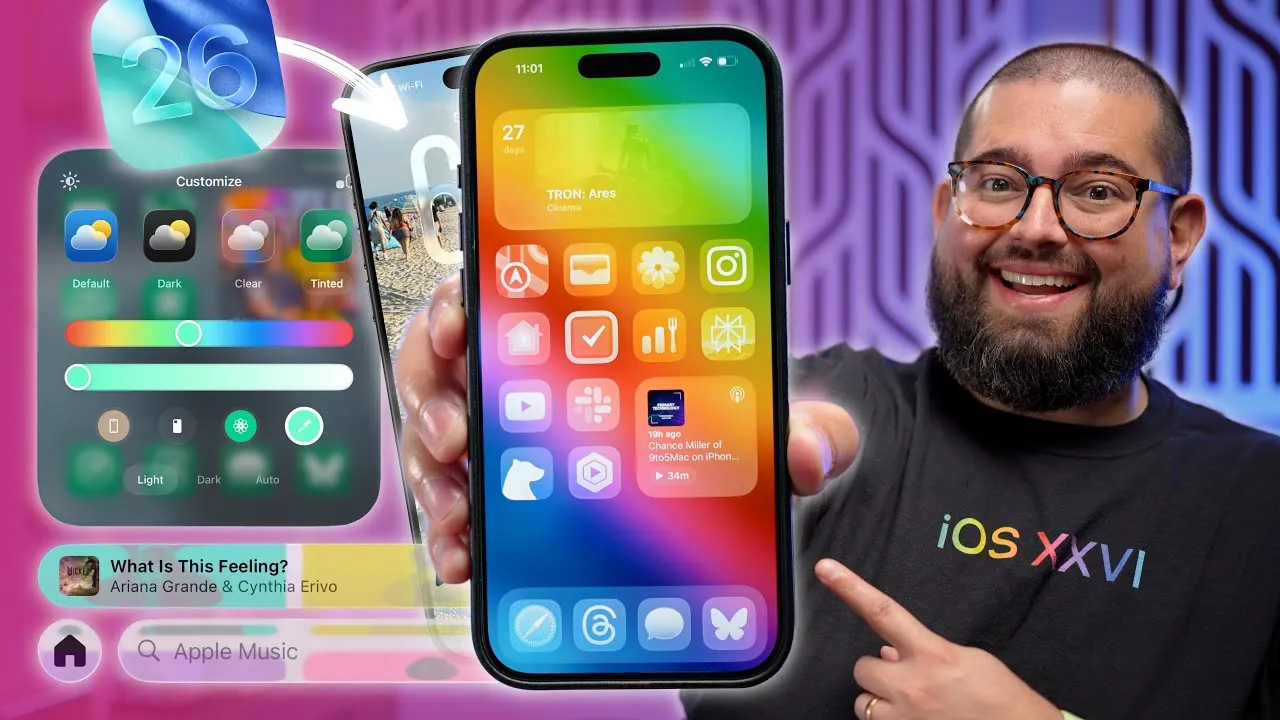
iOS 26 improves personalization with significant updates to the lock screen and home screen. You can now create multiple lock screens, each customized for specific purposes or moods. Add widgets for quick access to essential information, adjust clock sizes, and apply 3D depth effects to create a visually dynamic and engaging experience.
The home screen introduces a “liquid glass” design, allowing you to transform app icons with customizable colors, tints, and brightness. This feature enables you to match your device’s aesthetic to your personal style, making your iPhone or iPad feel truly unique.
Upgraded Messaging Features
Messaging in iOS 26 becomes more organized and interactive, offering tools that enhance communication and streamline conversations. Key updates include:
- Custom wallpapers for individual or group chats, adding a personal and creative touch to your conversations.
- Tabs within chats for quick access to shared photos, links, and attachments, improving navigation and organization.
- Poll creation in group chats makes collaborative decision-making more engaging and efficient.
- Automatic message translation allows seamless communication across different languages.
- Enhanced spam filtering and transaction categorization to keep your inbox secure and clutter-free.
Advanced Visual Intelligence
iOS 26 integrates advanced visual intelligence to simplify everyday tasks. With reverse image search and object recognition, you can instantly identify items or locate similar images. The system also detects dates, text, and translations from screenshots, allowing you to extract actionable information effortlessly. Additionally, summarizing text from images or screenshots is now faster and more intuitive, making it easier to manage information on the go.
Apple Music Gets a Boost
Music lovers will appreciate the enhancements introduced in Apple Music:
- Animated album artwork displayed on the lock screen, creating a more immersive listening experience.
- The new Auto Mix feature, which provides seamless transitions between songs, is perfect for playlists or parties.
- In-lyric translations, helping you understand songs in different languages as you listen.
New AirPods Features
AirPods users gain practical new tools with iOS 26, enhancing convenience and functionality:
- Sleep detection that pauses audio when you fall asleep, making sure you don’t miss important content.
- The ability to use AirPods as a camera remote makes it easier to capture photos and videos from a distance.
- Low battery and charging notifications keep you informed and prepared at all times.
Phone App Enhancements
The Phone app receives updates that streamline call management and improve user experience:
- Call screening with automated messages for unknown callers, reducing unnecessary interruptions.
- Hold assist, which alerts you when a call is ready to resume, making long hold times less frustrating.
- Custom ringtone creation directly from audio files or voice memos, allowing for a personalized touch.
Redesigned Camera and Photos Apps
Photography enthusiasts will find the redesigned Camera and Photos apps more intuitive and user-friendly. Adjusting photo and video settings is now easier, allowing you to make changes on the fly. The Photos app introduces new tabs for collections and library, simplifying navigation and helping you locate your favorite moments more efficiently.
Smarter Shortcuts and Automation
Automation in iOS 26 receives a significant upgrade with AI-powered shortcuts. These tools allow you to automate tasks such as summarizing data or parsing information, saving time and effort. Enhanced integration with on-device AI models ensures that shortcuts are smarter, faster, and more responsive, making your device a powerful tool for productivity.
Podcasts App Updates
Podcast listeners can enjoy a richer and more customizable experience with the latest updates:
- Full-screen custom episode artwork for a visually engaging interface.
- Enhanced dialogue clarity, improving audio quality for a better listening experience.
- Playback speed options up to 3x, allowing you to tailor your listening experience to your schedule.
Additional Features to Explore
iOS 26 introduces several other features aimed at improving accessibility and productivity:
- Support for USB microphones, allowing higher-quality audio recordings for content creators and professionals.
- Advanced automation tools powered by Apple Intelligence streamlining workflows and enhancing efficiency.
Explore the Full Potential of iOS 26
iOS 26 is a feature-packed update that prioritizes personalization, intelligent tools, and seamless integration across apps and devices. Whether you’re customizing your lock screen, exploring enhanced messaging options, or using AI-powered automation, this update offers something for everyone. Dive into these features today and unlock the full potential of your Apple device.
Explore further guides and articles from our vast library that you may find relevant to your interests in iOS 26 features.
Source & Image Credit: Stephen Robles
Filed Under: Gadgets News
Latest Geeky Gadgets Deals
Disclosure: Some of our articles include affiliate links. If you buy something through one of these links, Geeky Gadgets may earn an affiliate commission. Learn about our Disclosure Policy.