The name Nano Banana is all over the internet these days. In case you missed the train, any and all images of people turned into 3D figurines or Bollywood celebs have been generated using Nano Banana. If it wasn’t clear from the context, Nano Banana is Google’s latest AI image generation model that excels in one particular aspect – modifying images as directed. The image editing capabilities on the AI model are gaining far more popularity than its image generation prowess.
Using the very same AI powers, you can portray yourself in any kind of scenario you wish for. In this blog, we shall discover ways of turning any selfie into a king/ queen of the medieval era from various regions using Google Nano Banana. Once made, you can use these pictures across your social media. You can even make the same for your loved ones as a gift.
Let us explore the step-by-step process. Before that, here is a quick rundown of what Nano Banana is all about.
What is Google’s Nano Banana?
Nano Banana is the codename for Google’s latest image generation model that comes as a part of its Gemini 2.5 Flash. More than just an image generation model, Google hails its image editing capabilities. Why? Nano Banana allows you to blend multiple images into a single image, as well as perform other editing tasks on it. Turning yourself into a king/ queen is one such application.
Do not think of it as just a filter. Nano Banana is a full AI transformation pipeline that analyses your face, body pose, angles, and texture, and then turns your images into anything you like. All you need is a clear photo with the proper lighting for AI to focus on. Nano Banana can then do wonders on it, turning your imagination into a very real graphic within seconds.
How Does It Work?
Nano Banana AI relies on a mix of style transfer, facial preservation, and generative detailing to transform a regular selfie into a museum-grade royal portrait. Here’s what happens behind the scenes:
- Facial preservation models scan your selfie using landmark detection to ensure your facial features stay intact and recognisable.
- Pose adjustment layers re-map your body into a regal stance, whether seated on a throne or standing with a sword in hand.
- Historical style transfer networks apply textures, fabrics, and accessories, like crowns, jewellery, embroidery, and royal robes, inspired by archived paintings and cultural references.
- Scene generation modules create backgrounds such as thrones, palace halls, or court gatherings, matching the chosen royal style.
- Finally, detail refinement models polish lighting, colour balance, and brush-stroke effects to mimic oil paintings or classical portraits.
The result? Your selfie is reimagined as a timeless portrait of a King or Queen, complete with royal attire, divine lighting, and majestic surroundings, while still looking exactly like you.
Also Read: 4 Ways to Access Nano Banana for Free
Step-by-Step: Turn Your Photo Into a Royal Portrait
Time needed: 5 minutes
Enough about the technicalities of things. Let’s dive right into the process of turning yourself into a royal king/ queen. Here are the exact steps you need to follow to create your own royal portrait using Google’s Nano Banana AI.
- Visit the official Gemini website.
- Select the right model – Gemini 2.5 Flash, from the dropdown menu on the top left, right below the Gemini logo.
- In the Tools section within the chat window, click on Create Image. You will also see a Banana image right next to the option, depicting Nano Banana.
- From the Add Files section right next to Tools, click on Upload File. Here, you can upload a clear photo of yourself that you want transformed into a royal portrait.
- Use the following prompts for the royal portrait generation. You can simply copy/paste these as needed, or make your own changes to the prompt.
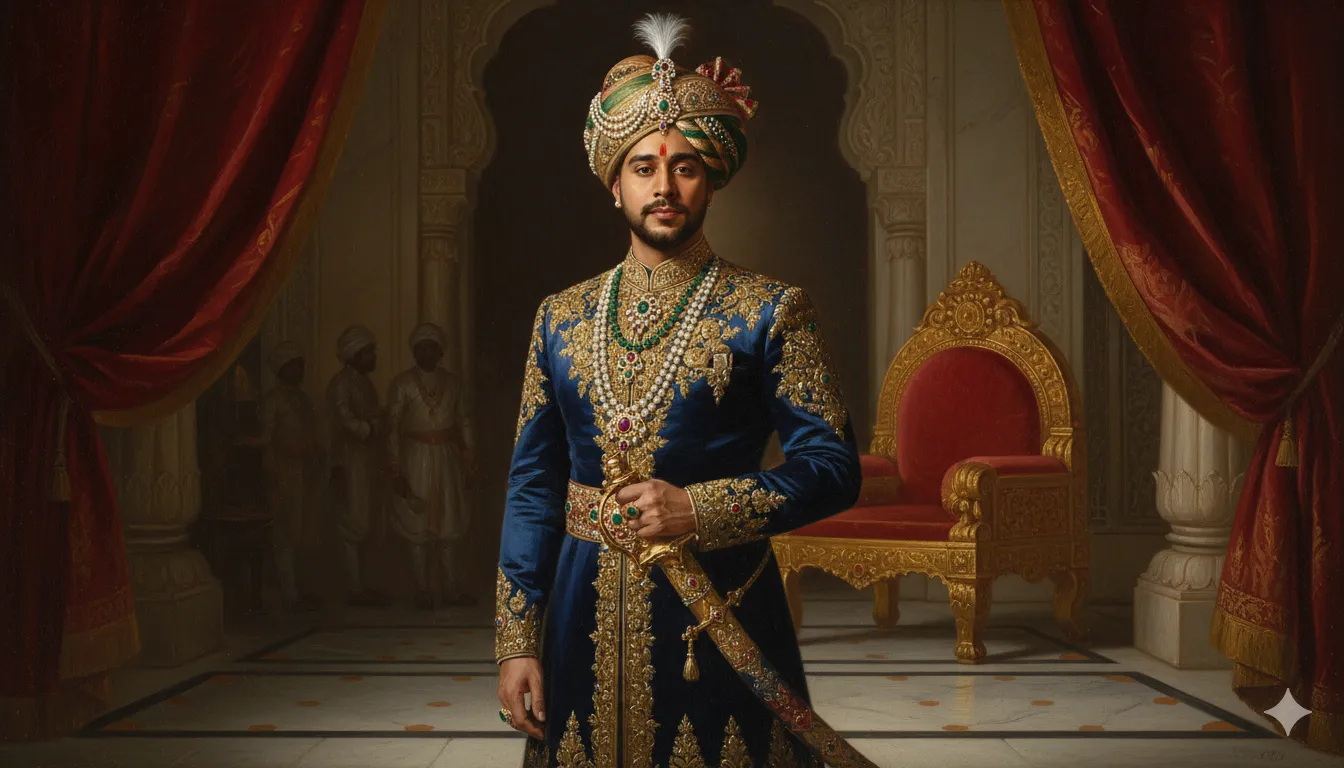
Prompt for Men
Transform the uploaded photo into a full-length royal portrait in the style of 19th-century Indian Maharaja oil paintings. Preserve the subject’s face 100% while enhancing with regal expression and posture.
Depict the subject standing in full grandeur, wearing an embroidered silk sherwani with gold zari work, a jewel-encrusted turban with feather crest, multiple pearl and ruby necklaces, and holding a gem-studded ceremonial sword.
Background: an opulent palace interior with marble flooring, velvet drapes, and carved arches. A large golden throne is slightly behind, with faintly visible attendants or guards in the shadows.
Style: richly detailed oil painting on canvas — deep shadows, glowing highlights, visible brush strokes, textured fabrics, realistic skin tones, and dramatic light falling from above. Colours must be bold and regal — crimson, emerald, sapphire, and gold. The result should look like an authentic museum-displayed royal portrait of a Maharaja — lifelike, majestic, and timeless
Output:
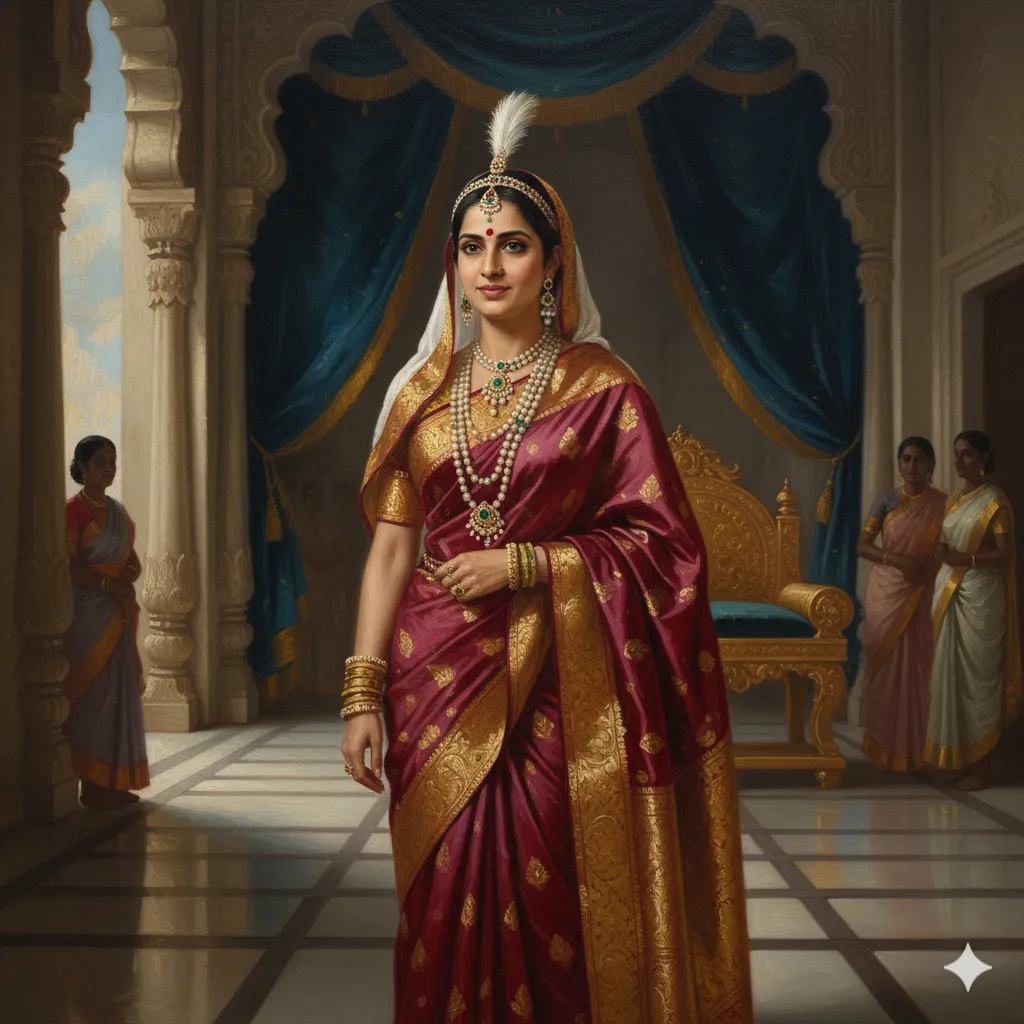
Prompt for Women
Transform the uploaded photo into a full-length royal portrait in the style of 19th-century Indian Maharani oil paintings. Preserve the subject’s face 100% while enhancing with a graceful yet commanding royal expression. Depict the subject standing in full grandeur, wearing an intricately embroidered silk saree with golden zari work, layered pearl and emerald necklaces, heavy gold bangles, and a gem-studded crown or tiara with a feathered ornament.
Background: an opulent palace interior with carved arches, velvet drapes, and marble flooring. A golden throne sits slightly behind, adorned with fine detailing, while faint silhouettes of attendants or handmaidens stand respectfully in the background.
Style: richly detailed oil painting on canvas — soft but dramatic light falling on the Queen, glowing highlights on her jewellery, visible brush strokes, textured fabrics, realistic skin tones, and deep regal colours such as crimson, emerald green, sapphire blue, and gold.
The result should look like an authentic museum-displayed royal portrait of a Maharani — elegant, lifelike, and timeless.
Output:
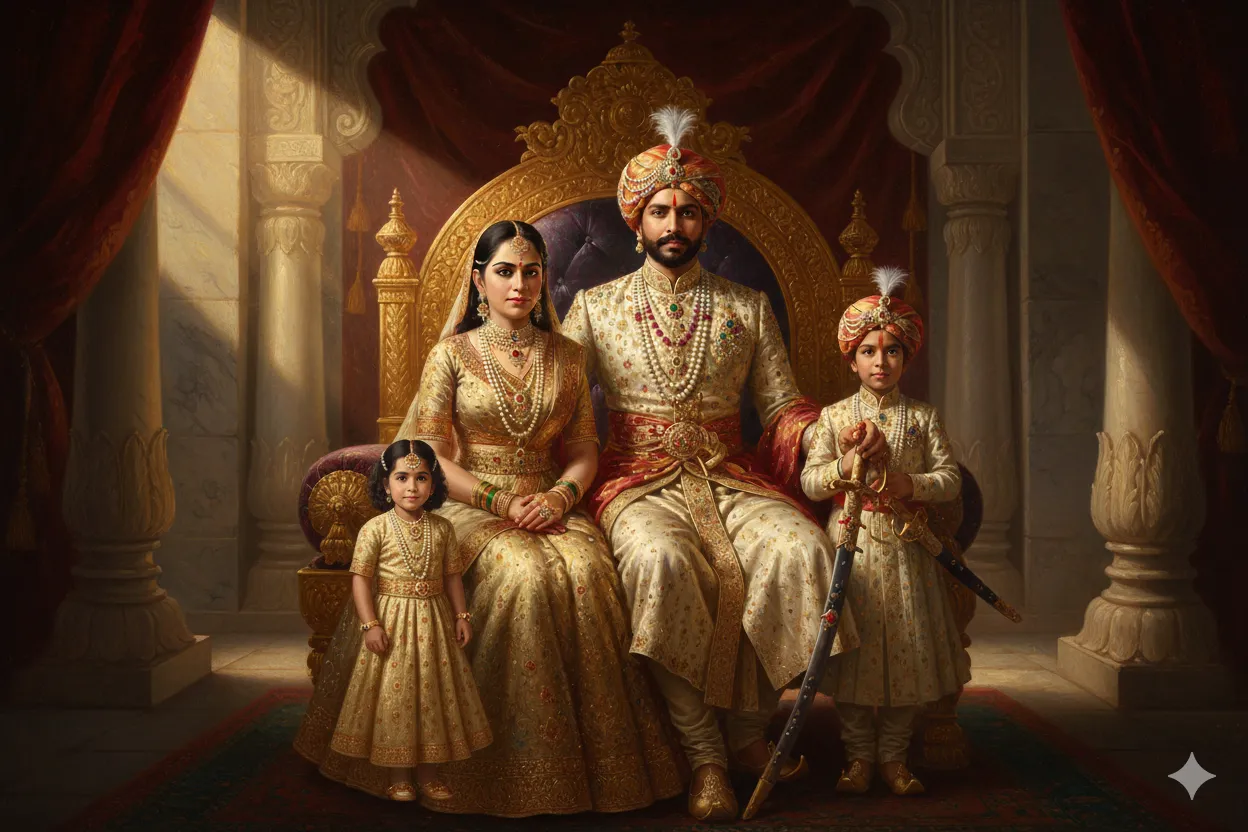
Prompt for Family photos
Turn this family photo of four [depict the exact number here] subjects into a full-length royal portrait in the style of 19th-century Indian Maharaja oil paintings. Preserve the subjects’ faces 100% while enhancing with regal expression and posture. Depict the subjects standing in full grandeur, wearing royal attire and jewellery, and the head (man) of the family holding a gem-studded ceremonial sword.
Depict neutral expressions on the faces of everyone. The family is sitting on a bejeweled royal throne within an opulent palace interior with marble flooring, velvet drapes, and carved arches, with sunlight flowing through the top-left of the image
Output:
Tips for Best Results
Here’s how to make sure your Nano Banana royal portrait turns out truly majestic:
- Lighting is key: Use a photo that has natural daylight or soft indoor lighting so your facial features are captured clearly.
- Face the camera: A front-facing selfie with minimal tilt works best for regal transformations.
- Keep it simple: Avoid hats, sunglasses, or heavy makeup that might distort facial accuracy.
- Clean background: A plain wall or uncluttered setting helps the AI focus entirely on your face and attire.
- One person per photo: Don’t use group selfies. Nano Banana works best with a single subject.
- A good, clear selfie = a masterpiece royal portrait.
Pro Tip: If you would like extra grandeur, such as people saluting the King, palace murals, or divine light rays, be sure to specify it directly in your prompt for the most striking results.
Where to Use These Royal Portraits
Once you have generated the perfect royal portrait for yourself/ your loved ones, you can use it in many cool ways. Here are some of them:
- Social media PFPs (Profile Pics)
- e-cards for occasions
- Wall-hanging portraits
- Creative content for YouTube or TikTok edits
The sky is the limit for their use. So, create a royal portrait of yourself/ your loved ones now, and depict yourselves as royals any and everywhere you want.
Also Read:
Conclusion
Use of AI has transcended far beyond professional purposes. Free to use AI tools like Nano Banana today allow an unparalleled freedom of expression to people from all walks of life. You wish to be a royal, a simple prompt can now help you imagine yourself living that life.
So, make sure in this age of rapidly evolving AI, you make full use of the creative expressions available to you. And that in doing so, you stay ahead of the curve when it comes to AI advancements.
Login to continue reading and enjoy expert-curated content.