The idea for this blog originates from another one I recently wrote. The earlier piece shared a list of top AI tools for productivity at work. It was heartening to see its results, not because of the sheer number of readers, but to know that my dear audience is actively attempting to upgrade its work productivity. Well, the message is clear, so let me take the onus of sharing all my productivity hacks. On those lines, here, I shall share the top AI Chrome extensions I use or know of that allow 10X productivity at work.
But allow me to start with a bit of basics for those unaware.
What are Chrome Extensions?
Within the web browser you are reading this, there must be a “puzzle piece” icon on the right of the toolbar at the top. If you have never checked it till now, know that the icon represents “extensions” of your browser. It will say the same once you hover your mouse over it.
Now, to put it in words, these extensions are basically small software programs that add new features to your web browser. The most popular browser in the world is Google Chrome, followed by Edge and Firefox. Of course, there are others too, like Opera, Brave, and Safari for Apple users. No matter which one you use, browser extensions are a common enhancement across all.
In this article, I list the top work productivity enhancement AI extensions for Chrome, since over 60% of internet users use Chrome. However, most of these extensions are also available for other browsers, so you can go through the list knowing you are about to take your productivity to the next level.
Now that you know you can use these, the question comes – how?
How to use Chrome Extensions?
It is simple. And please don’t let me (or any other writer in the world) complicate it just for a high word count. Here is what to do:
- Look for the puzzle-piece icon on the right of the toolbar at the top of your browser. It should look something like this.
- In case it is not visible, click on the three dots on the extreme right of the toolbar. From the dropdown menu, select Extensions.
- Visit the Extension store in your browser and simply install the extension you want.
That’s it. You are done.
Now, as to what extensions to install, let’s dive right into the list.
Top AI Chrome Extensions for 10X Productivity at Work
Here is a carefully curated list of the top AI Chrome extensions that will supercharge your productivity at work, without ever having to leave your web browser.
1. Sider
Sider is like having a research co-pilot living right inside Chrome. With over 10 million users, Sider began as a vision of democratizing AI by bringing the power of leading AI models into your daily workflow. Instead of hopping between tabs, it lets you instantly summarise articles, compare AI-generated insights side by side, and get contextual explanations without disrupting your flow. At the backend, it uses AI models like ChatGPT, Claude, Gemini, and DeepSeek to perform these tasks.
Think of it as cutting down hours of research into minutes.
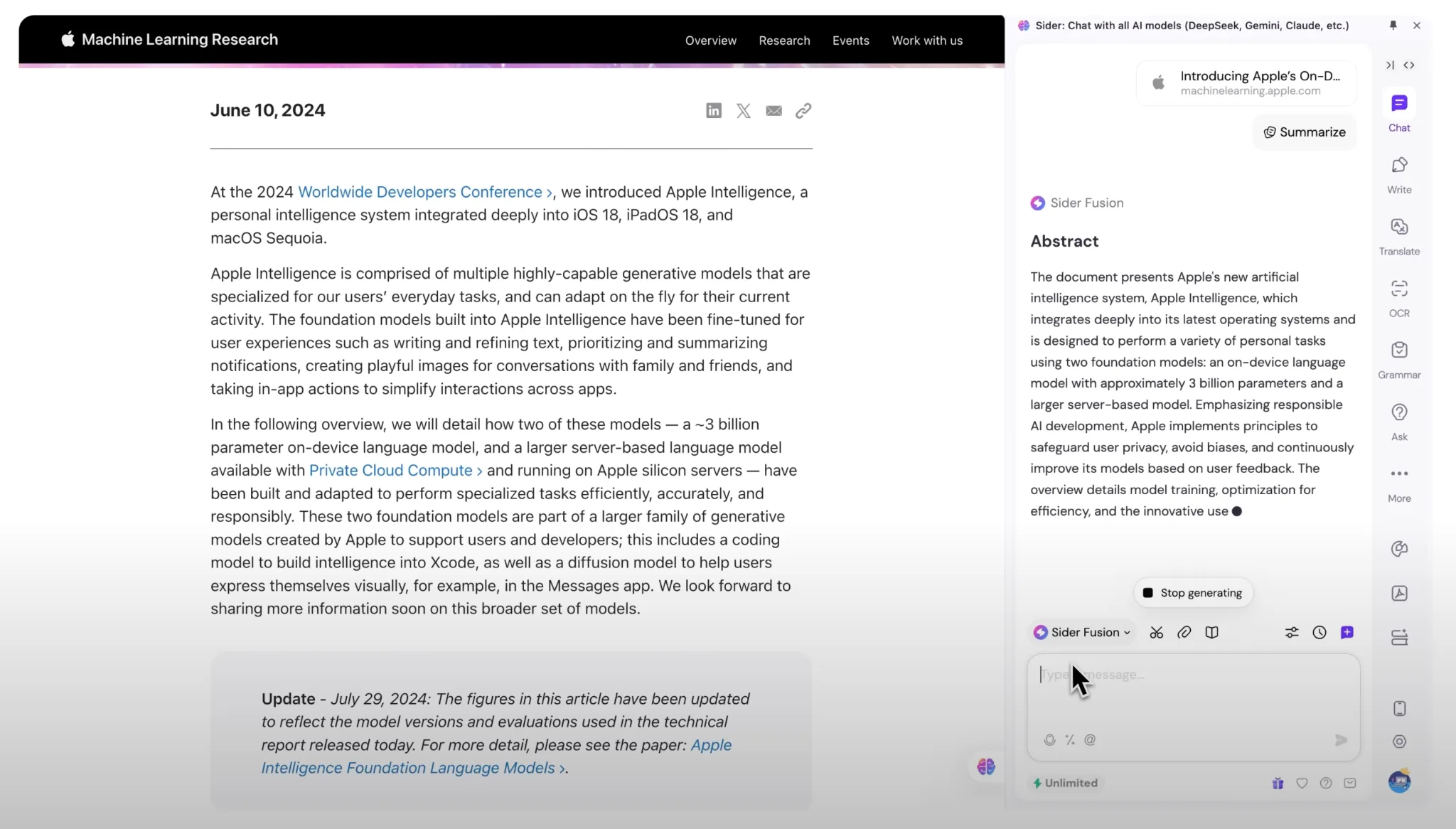
With Sider 5.0, there is a new Deep Research agent, powered by Wisebase, which takes your research topic and autonomously explores the web like a human researcher. It is able to turn scattered information into structured, interactive reports within minutes. All your findings neatly live in one evolving knowledge hub, ready to be revisited and expanded anytime. If deep, fast, and organised research is your daily need, this one’s a game-changer.
Access Sider here.
Best for: Research work, presentations, insights.
2. Scribe
This one is for people who often have to repeat themselves to their colleagues, explaining workflows and processes again and again. Scribe lets you document the entire workflow at the click of a button, and then presents it in a super-neat presentation that you can share next time a colleague asks for the SOP.
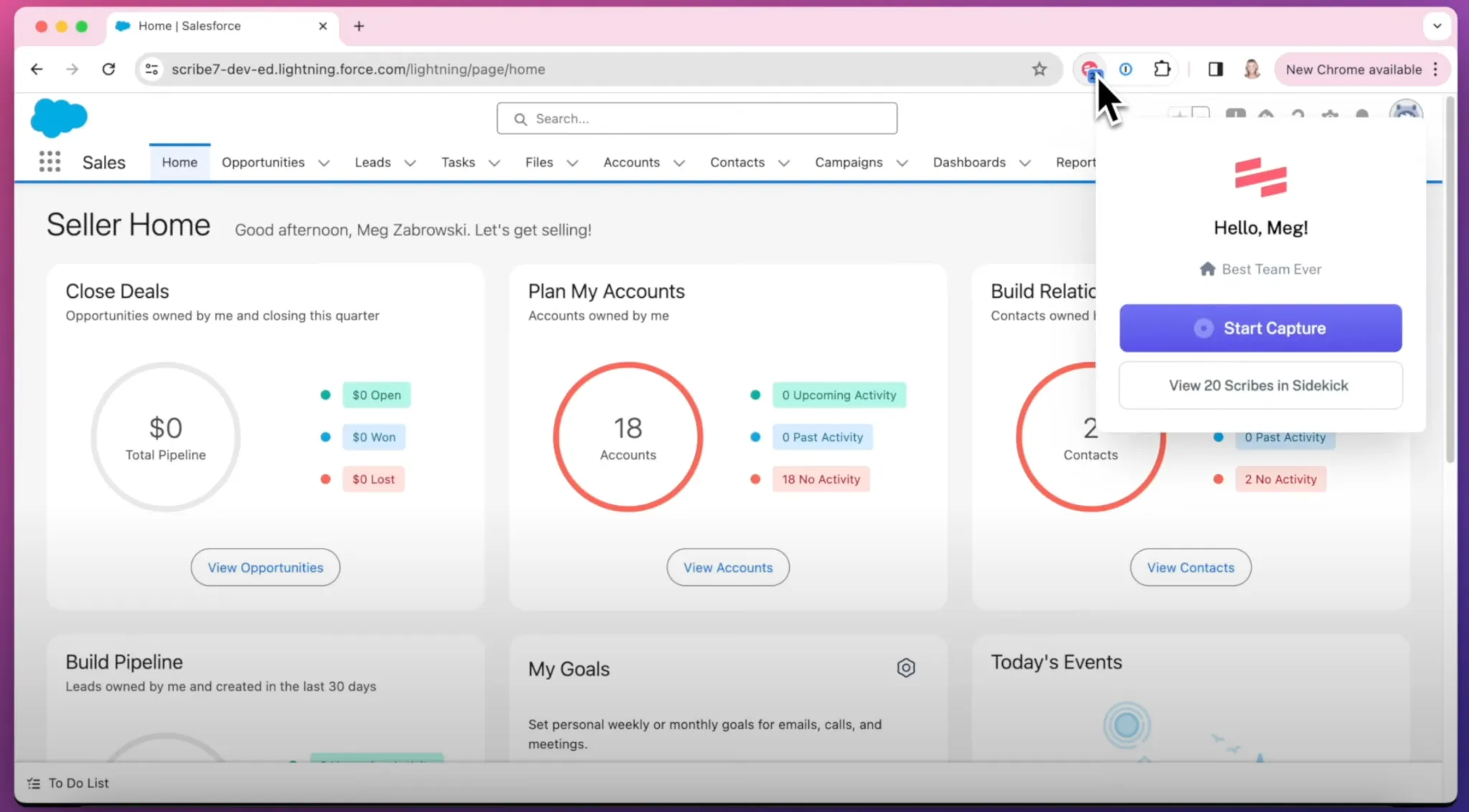
It is equipped with Workflow AI, which automatically captures every click, screenshot, and step once you run through your process. It writes your SOPs, manuals, and how-to guides for you, complete with annotated images and text instructions. Basically, no more manual screenshots or copy-pasting, or repeated explanations. Use Scribe and get a polished, step-by-step guide for your task with one click.
That’s a solid 10/10 for both time and effort saved.
Access Scribe here.
Best for: Onboarding new hires, writing internal training, capturing customer (or any) workflows.
3. Tactiq
Are you still manually typing/ writing notes from everything discussed in your meetings? Use Tactiq now and thank me later. This Chrome extension will automatically capture live transcripts, highlights, and key takeaways from Zoom, Google Meet, and more platforms for official meetings. It catalogues and organises everything, so you can stay fully present in the conversation. It’s like having a silent assistant that catches what you missed.
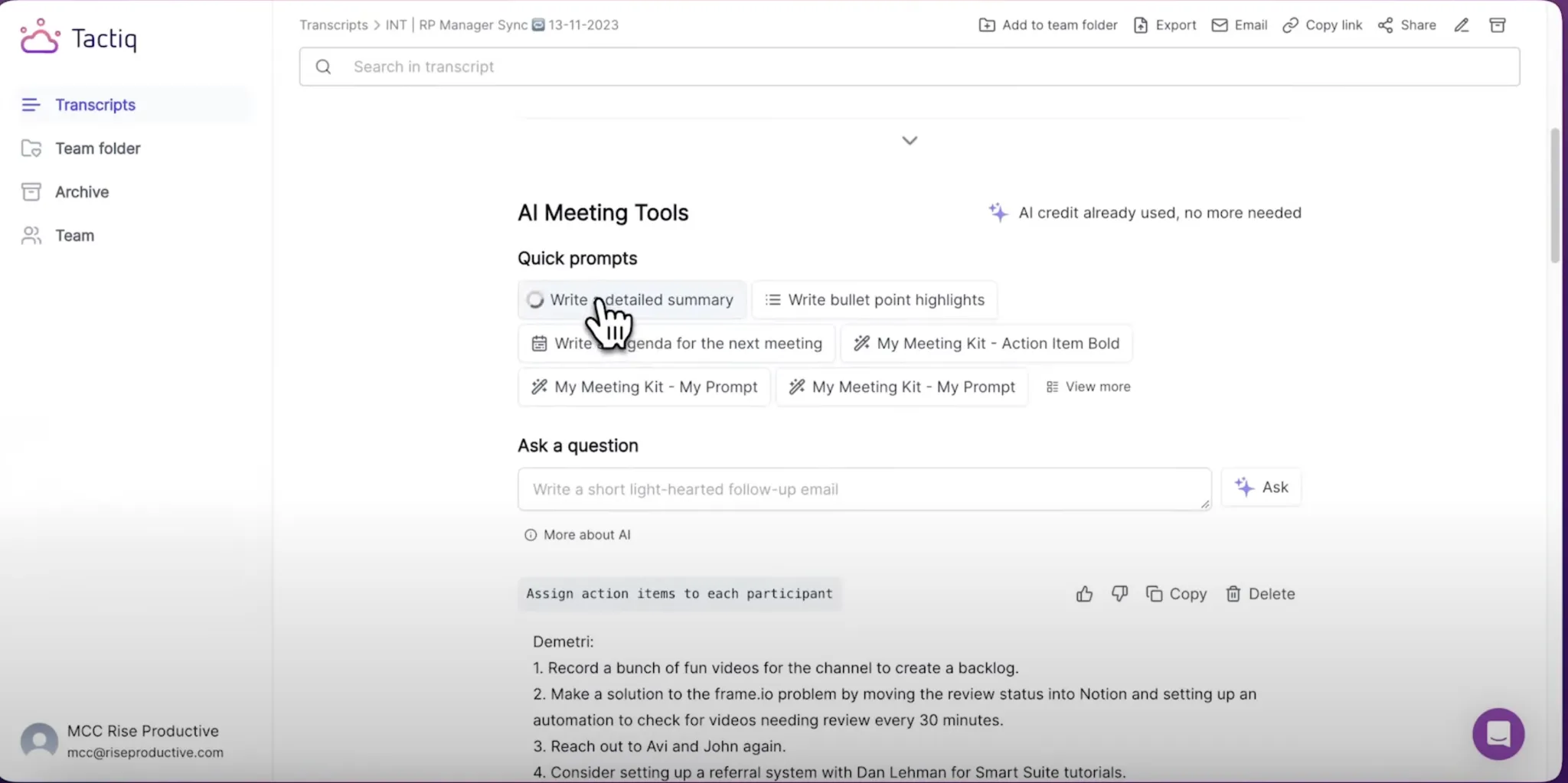
The magic doesn’t stop here. Once the meeting is over, you can export your transcripts, highlights, and summaries to Notion, Docs, Slack, or your preferred note tool. All of this, with links back to original timestamps. How wild is that? Especially if you are creating meeting recaps, capturing ideas, or sharing decisions across teams.
Access Tactiq here.
Best for: minutes-of-meetings, record keeping.
4. Todoist
Among this list of top AI Chrome extensions for work, I don’t think this one needs any introduction. Todoist is used by over 40 million users and 20,000 teams worldwide. In case you are not one of them, know that the app is gold for organising your daily routine and workflow. It is widely popular for its ability to connect seamlessly with the places your commitments already live, i.e., email, calendar, and chats.
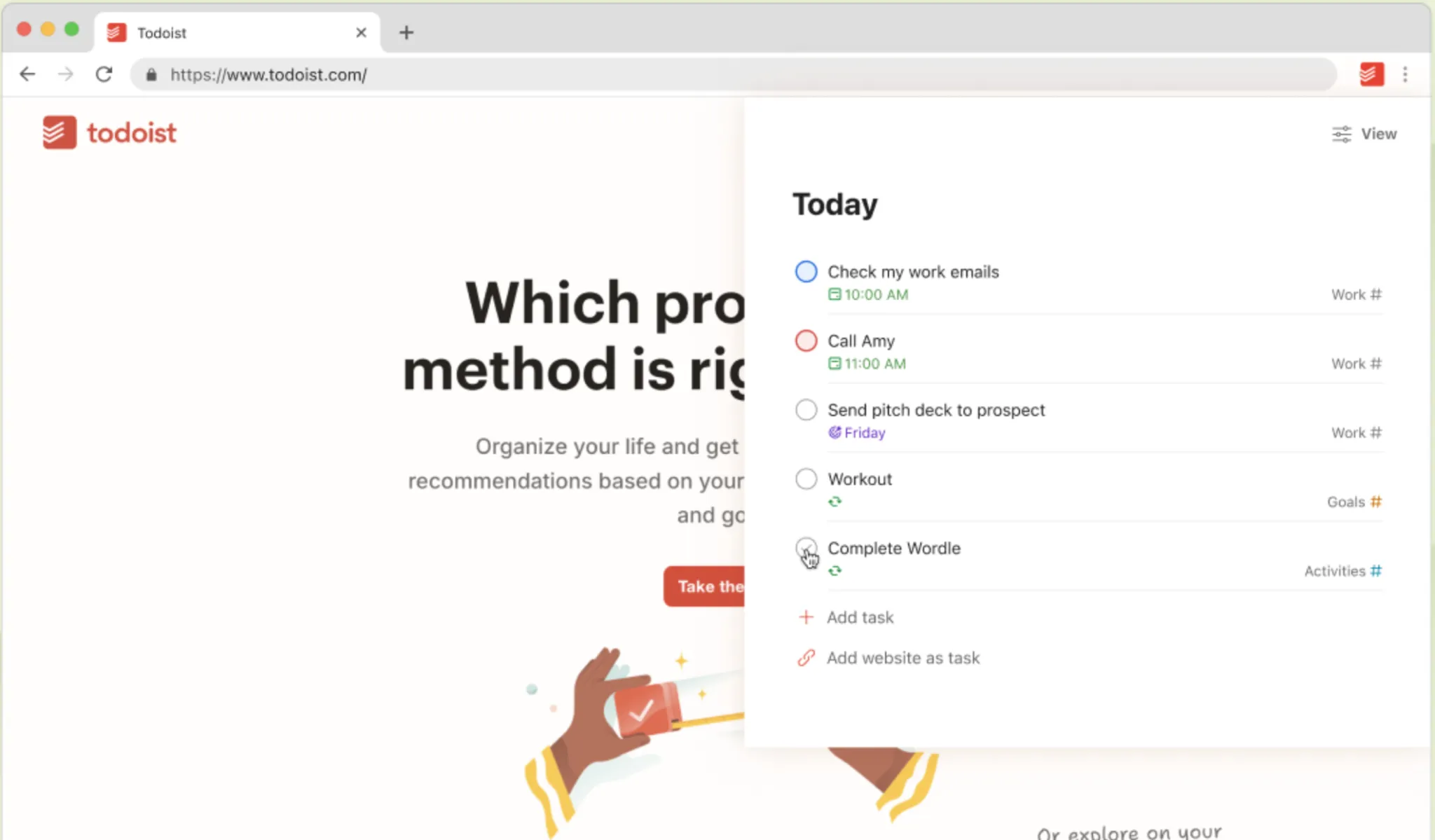
Right at the day’s start, you glance at Todoist once, and it gives you a crystal-clear view of what matters today and what can wait. For teams, Todoist gives a shared, intuitive space to assign, track, and review tasks. All this, without the complexity of bulky project management tools. In its extension form, it helps you capture everything you do on your browser and relate it to your tasks. Use it, and you will instantly realise how Todoist is simply gold for task management and workflow planning.
Access Todoist here.
Best for: day planning, teamwork, time and workflow management
5. Grammarly
Grammarly is an absolute must for all writing and editing work. I have been using Grammarly for over half a decade now, and the grammar checker has evolved over time to cater to all types of writing. Be it a mail to your colleagues, customer feedback, or a blog like this, the way Grammarly is able to correct AND elevate your writing is unmatched by any other similar tool out there.
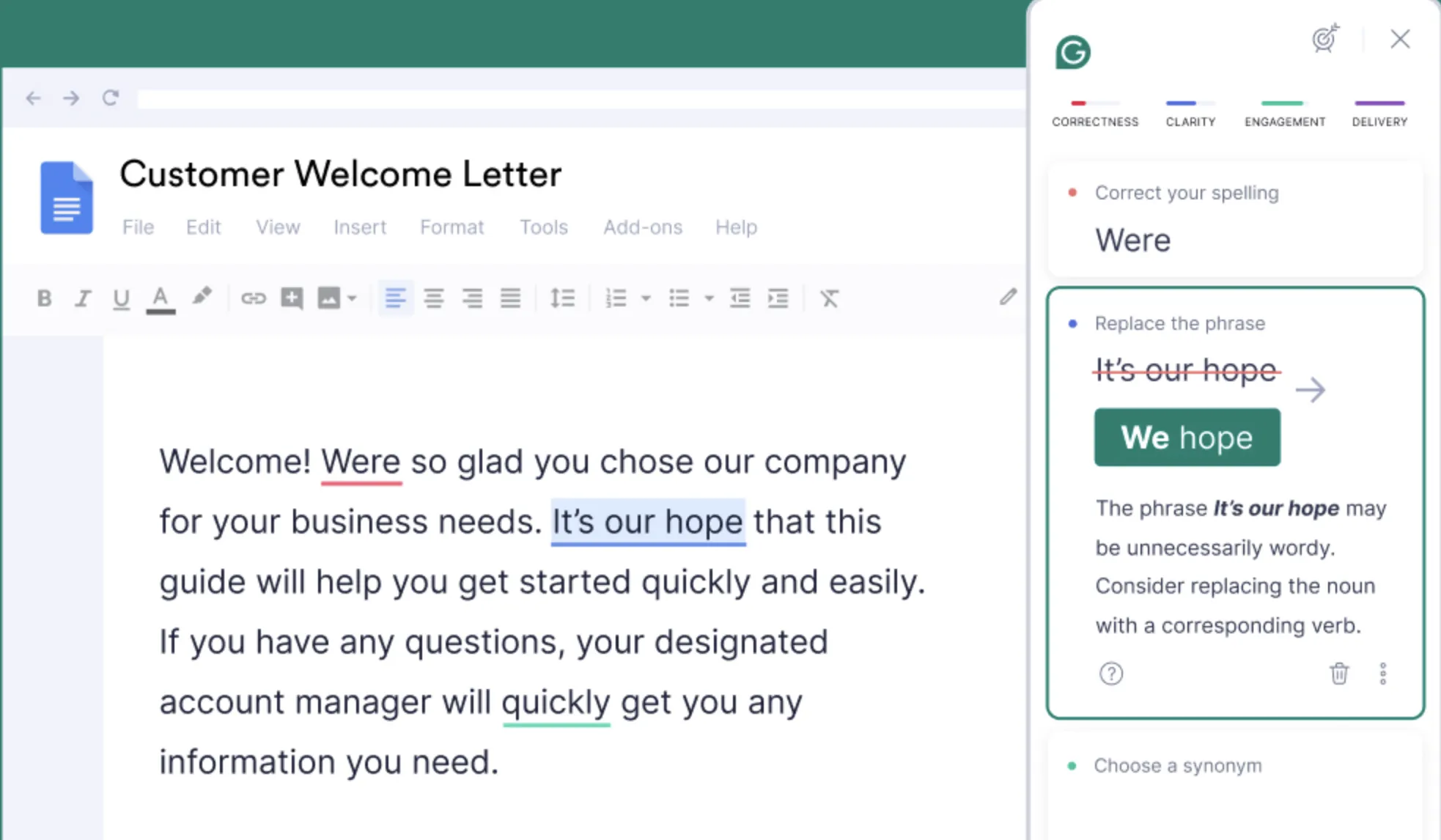
As an extension, simply install Grammarly and you will see it highlighting all the errors within your writing instantly. Its AI writing assistant even provides solutions to the errors at the click of a button. So, no matter your communication skills, if you are using Grammarly, you can be assured that your mails and copies will be error-free and supersmooth to read.
Access Grammarly here.
Best for: All writing and editing work
6. Quillbot
This one is quite similar to Grammarly, except for one major difference. While Grammarly helps generate AI writing to fast-track your writing, one of the major features of Quillbot is to detect such AI content. Other than that, QuillBot helps rephrase, summarize, or tweak any piece of text instantly.
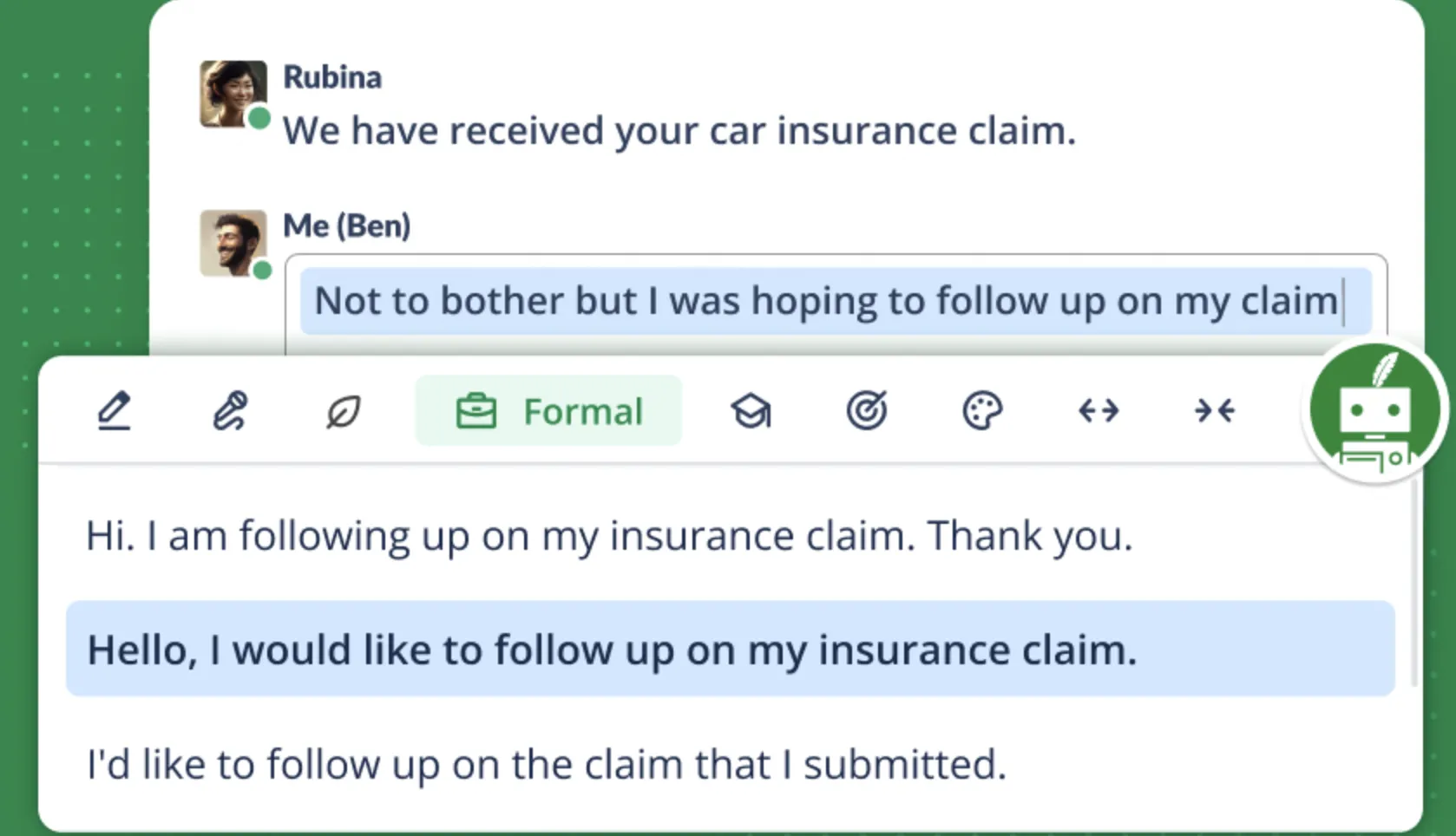
With its browser extension, Quillbot is able to give you alternative wordings, concise summaries, and clarity suggestions without leaving the page you’re on. Best part, QuillBot also integrates smoothly with Google Docs and Gmail, so your writing gets elevated wherever you type. If you write often, this is a Chrome extension that’s purely a smart upgrade.
Access QuillBot here.
Best for: drafting emails, blog posts, social media posts. AI content detection.
7. Google Translate
As is clear from its name, Google Translate helps translate any text into the language of your preference. Nowadays, many websites have an in-built translation option. However, the vast expanses of the internet still do not share that capability. In such a case, Google Translate is the go-to option to read whatever you want, in the language you want.

Interestingly, the use of Google Translate is not restricted to readers. It has helped me innumerable times visit a Chinese or a Russian website just to find that one piece of information I was looking for – possibly the price of a smartphone, or the specifics of a product/ service. If you also find yourself going global for your work every now and then, Google Translate is a must-have in your list of extensions.
Access Google Translate here.
Best for: Reading, research.
8. Mailmeteor
At different points in life, I have run email campaigns for varying purposes. While such campaigns seem pretty straightforward, there are a lot of nuances involved. Only once you go through them step-by-step, do you realise that you need help at various points. Mailmeteor comes as an all-in-one solution for the same.
Of course, there are full-fledged software programs out there for email campaigns. But if you wish to consolidate your software to an extension, Mailmeteor is among the best possible choices. It turns Gmail into a full-featured outreach machine, letting you write emails using its built-in AI Email Writer, send mail merges, track opens, schedule follow-ups, and export campaign data. All of this, without ever leaving your inbox.
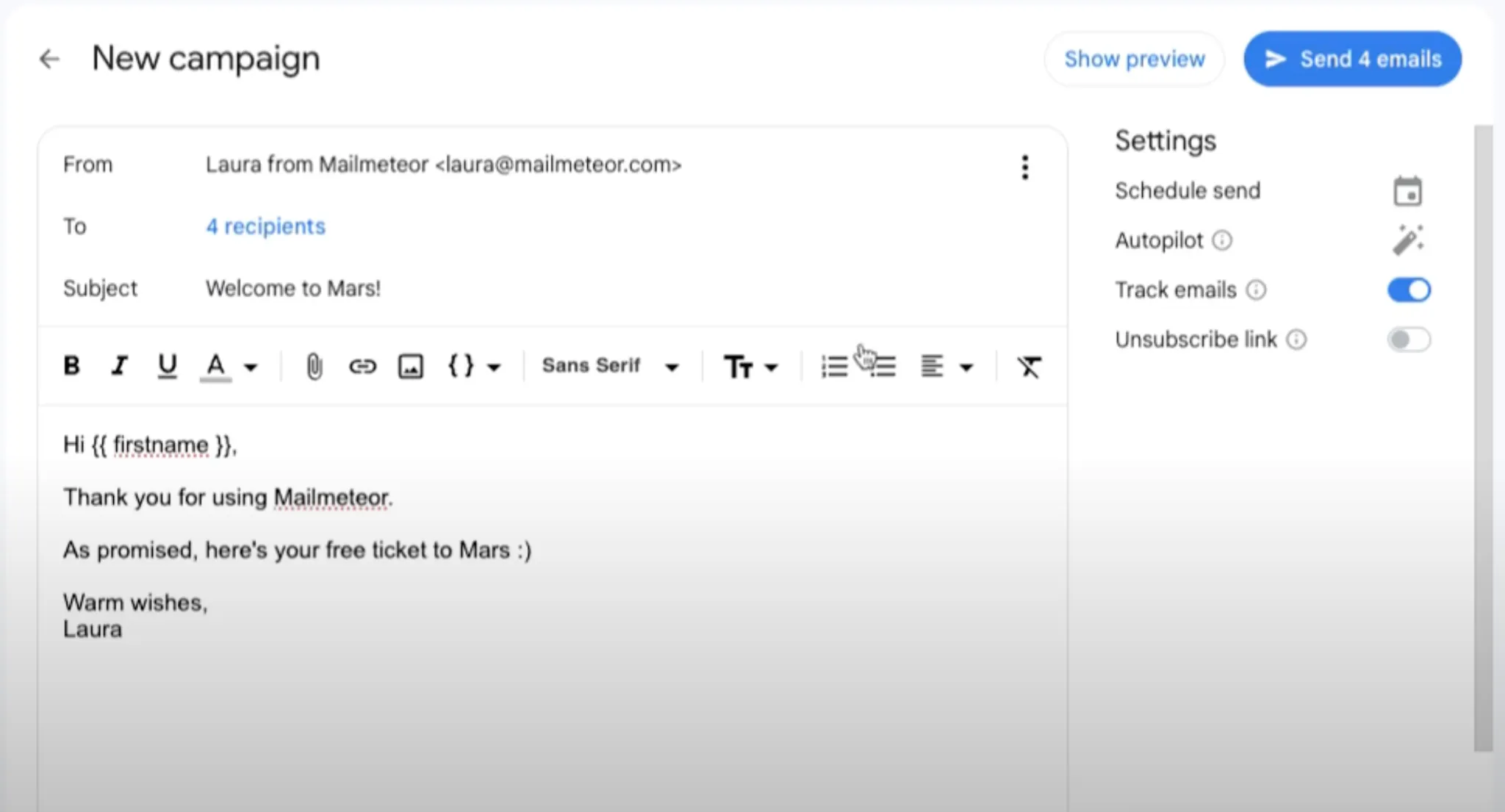
Mailmeteor integrates so seamlessly that you won’t feel like you’re jumping between tools. What makes it shine is how it blends automation and personalization. You draft one email, and Mailmeteor personalizes and sends it to dozens with custom fields. That is simply hours saved in an email outreach.
Access Mailmeteor here.
Best for: email marketing, mass personalised mails, mail tracking.
9. Leeco AI
This one is for the coders. Leeco AI is your AI mentor for coding and learning, built right into your browser. Leeco sits beside you while you tackle LeetCode problems or watch YouTube tutorials. It then helps explain code, summarize videos, and answer your questions in real time. With support for debugging, mock interviews, and contextual help across platforms, it helps you study smarter, without constantly switching tabs.
Designed for students, job-seekers, and devs preparing for interviews, Leeco AI makes high-quality guidance accessible to everyone. It tracks your DSA progress, surfaces insights, and keeps your learning momentum going. Instead of hopping between tools and search results, you get focused, contextual support just when you need it. This turns hours of confusion into clarity in minutes.
Access Leeco AI here.
Best for: coding, interview preparation, overall learning.
10. Thunderbit
Thunderbit is what happens when web scraping finally catches up to the AI era. Instead of wrestling with messy selectors or writing code, Thunderbit lets you scrape structured data from any webpage in just two clicks. Open the extension, hit “AI Suggest Columns,” then click “Scrape,” and boom, your data’s ready to copy or download as CSV. It reads web pages like a human, so you can skip the 47-step workflows most tools demand.
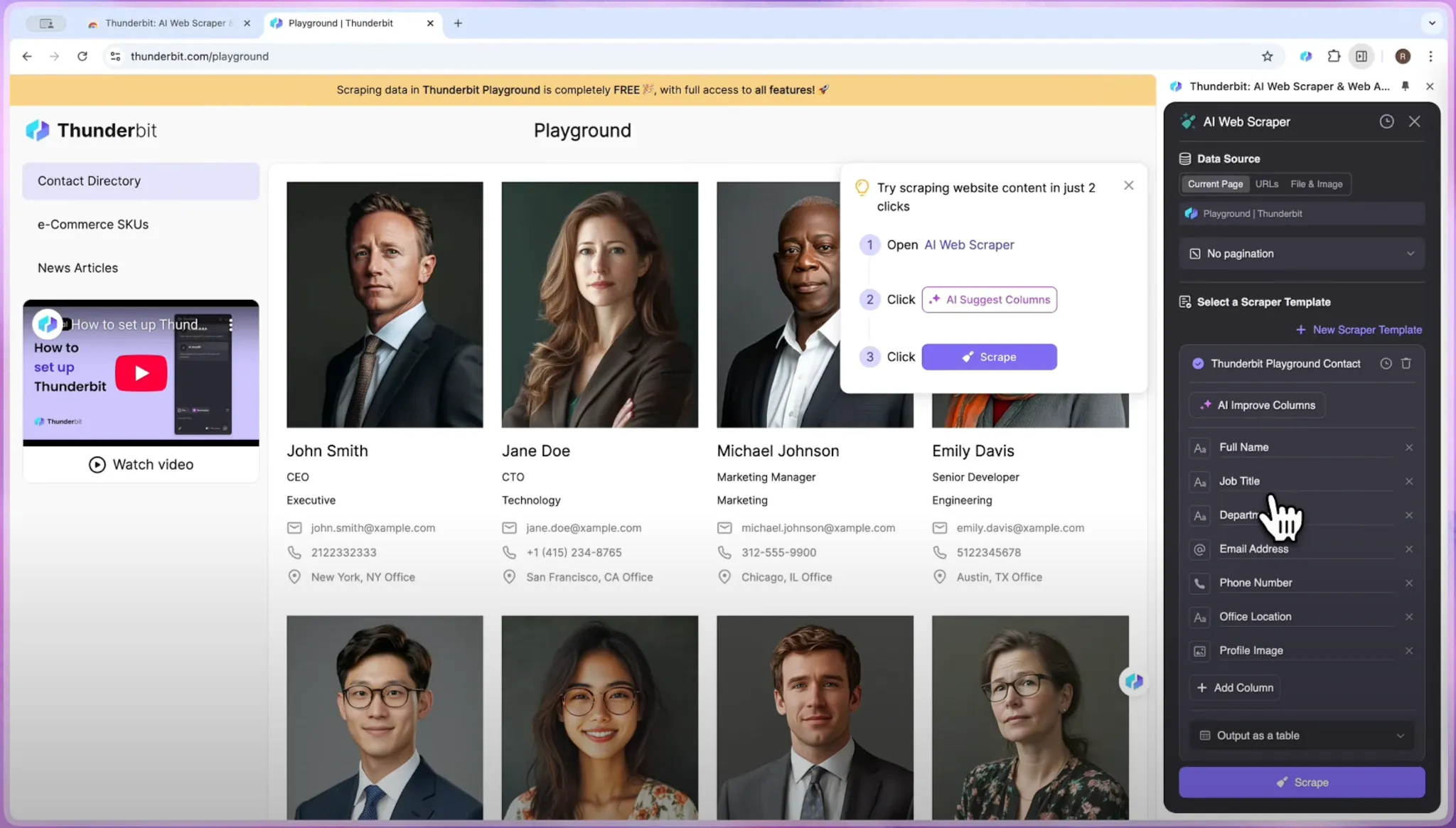
Beyond speed, Thunderbit is built for power users too, with support for pagination, infinite scroll, subpage scraping, and multiple export formats. It’s the perfect blend of AI-powered simplicity and serious capability, turning what used to be a technical chore into a smooth, everyday task. Whether you’re a researcher, marketer, or founder, this is one tool that makes data extraction ridiculously convenient.
Access Thunderbit here.
Best for: Marketing data, competition analysis, sales prospects, e-commerce scraping.
Conclusion
With that, I would like to wrap up this iteration of productivity hacks from my end. These top AI Chrome extensions will definitely boost your productivity at work to new heights. Go ahead, give them a try, and let me know which one helped you the most in the comments section below.
With your consistent love, I will continue to share more productivity hacks across the spectrum, be it for developers, designers, marketers, or writers. If you wish to read my thoughts on your area of interest, do share the same in the comments, and I will do my best to write on it first. Until then!
Login to continue reading and enjoy expert-curated content.