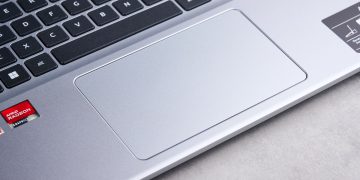
- Windows 11 has functionality for more advanced haptic feedback for trackpads and mice in the works
- This feature is called haptic signals, but it’s not officially in testing yet
- It’s hidden in preview, but will hopefully go live in testing soon, offering multiple ways to get haptic feedback when you interact with Windows 11’s interface
Windows 11 is apparently set to receive new functionality for a haptic mouse or laptop touchpad beyond the basic feedback already in place, and this incoming feature is called haptic signals.
Windows Latest noticed that PhantomOfEarth, a regular source of Microsoft rumors on X, has again been digging in preview builds of Windows 11 and discovered the haptic signals feature hidden away.
New mouse haptic signals options in Settings coming soon (hidden in the latest Dev/Beta build) pic.twitter.com/XQuMjxKuiMNovember 9, 2025
When it goes live – and haptic signals isn’t working yet, or even present in preview – based on the menu options shown, you’ll be able to turn on haptic feedback for when you snap a window into place, or “align objects”, and other Windows 11 interface elements.
In other words, with a trackpad that supports haptic feedback, there’ll be a physical ‘buzz’ to indicate that the window in question has been snapped (or whatever other interface actions this feature is eventually tied into). The same is true for a mouse that supports haptic feedback.
Those without a haptic-enabled mouse (like the Logitech MX Master 4, for example) or trackpad won’t get the benefit of this functionality, of course.
Analysis: hopeful for happy haptics

This won’t be seen by Windows testers yet – it must be enabled using a configuration utility (ViVeTool) – but it’s in the background of Windows 11 previews in the Dev and Beta channels, indicating that Microsoft is readying to send it live in testing in the future. Granted, that won’t necessarily happen, but there’s a fair chance it will.
As Windows Latest points out, the basic haptic feedback you get already – just for pressing to click (replacing the mechanical click of a traditional touchpad) – is a slick experience itself with a trackpad on a Windows 11 laptop, and this extends the idea to provide useful extra bells and whistles to give you a satisfying physical feeling when you interact with certain parts of the operating system’s interface.
Not everyone might be keen on more instances of their peripherals buzzing at them, of course, and if you’re the kind of person who turns off your console controller’ rumble effects, you don’t have to use these additional haptic features. Or you can adjust the intensity of the effects so they’re only very slight (though how slight, we won’t know until this feature actually appears in test builds of Windows 11, assuming it does).
Microsoft is playing catch-up with Apple here, as the rival firm is keen on its haptic feedback. Apple introduced the fully-fledged Force Touch tech for its MacBook trackpads a very long time ago, alongside Haptic Touch with more recent iPhones or iPads (although some feel that’s a distinct downgrade from 3D Touch, the equivalent of Force Touch for older Apple smartphones and tablets).

The best computers for all budgets
Follow TechRadar on Google News and add us as a preferred source to get our expert news, reviews, and opinion in your feeds. Make sure to click the Follow button!
And of course you can also follow TechRadar on TikTok for news, reviews, unboxings in video form, and get regular updates from us on WhatsApp too.