Who would have thought Google would make such a powerful comeback in 2025 with its AI lineup? From Veo 3 to Nano Banana to Gemini 2.5 Pro, Google has been rolling out stellar models that are not only advanced but also surprisingly easy and fun to use. In this article, I will walk you through how to create engaging videos using Nano Banana and Veo 3, which you can use for social media marketing, product promotions, or simply for fun.
What is Nano Banana and Veo 3?
Nano Banana is Google’s Gemini 2.5 Flash Image model, designed for ultra-fast, high-quality image generation and editing. It can blend multiple images, maintain consistency, and apply precise edits with natural language prompts.
Learn more about Nano Banana here.
Veo 3 is Google’s advanced video generation model, capable of producing cinematic, high-resolution videos from text prompts or references. Together, they empower creators and marketers to automate stunning visuals and videos with ease, creativity, and professional quality.
Learn more about Veo 3 here.
Note: You can access both the models via Gemini or Google AI studio. Now, let’s get started with the tasks.
In this task, I will first create an image of a gift box using Nano Banana, and then use Veo 3 to generate a video with exploding terms that highlight the free courses offered by Analytics Vidhya. That’s the overall idea. Let’s get started.
Step 1: Create box image
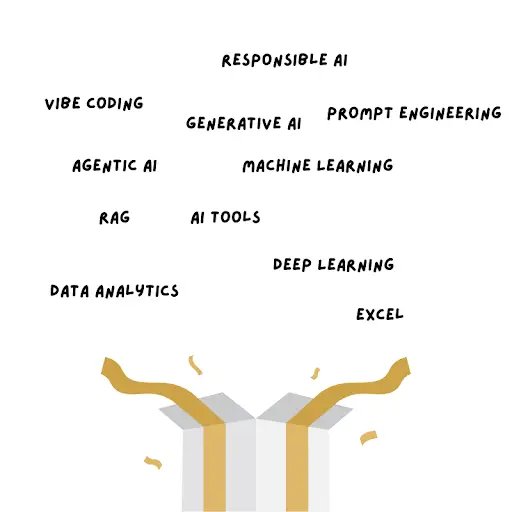
Prompt: “Create image of an exploding gift box with the following terms: Agentic AI, RAG, Responsible AI, Data Analytics, Prompt Engineering, Vibe Coding”
Output:
Step 2: Create the video
Prompt:
{

  "video_prompt": {

    "scenes": [

      {

        "scene_number": 1,

        "visuals": "A plain cardboard box is centered in the frame. It begins to shake and wobble.",

        "audio": "A light, suspenseful, electronic tune plays in the background."

      },

      {

        "scene_number": 2,

        "visuals": "The box suddenly explodes. From the explosion, a stream of glowing, animated words fly out in all directions.",

        "animated_words": [

          "AI",

          "Data Science",

          "Data Analytics",

          "Generative AI",

          "RAG",

          "Agentic AI",

          "LLMs"

        ]

      },

      {

        "scene_number": 3,

        "visuals": "The words hover in the air, spinning and sparkling. The camera zooms in on them.",

        "audio": {

          "voice_over": "If you want to master these skills, visit analyticsvidhya.com.",

          "voice_style": "deep and firm"

        }

      },

      {

        "scene_number": 4,

        "visuals": "The camera pulls back to show all the terms in a single, organized list. The Analytics Vidhya website address appears at the bottom of the screen."

      }

    ]

  }

}
Output:
Task 2: Create a Vlog
Prompt: “Create an 8-second viral video featuring a realistic teenage monkey character to promote Analytics Vidhya’s Vibe Coding Free Course. The video should be in Hindi, fun, and appeal to students/young learners.
Scene Description:
A realistic teenage monkey rides in on a bike, wearing casual clothes and a backpack, holding a vlog camera stick.
Stops outside a modern glass-front building with a “Vibe Coding” banner (Analytics Vidhya logo visible).
Students/youngsters with laptops and coffee cups walk around in the background.
The monkey looks into the vlog camera, full of energy, and delivers the script.
End frame: Vibe Coding logo + CTA “Free Course with Certification – Enroll Now.
Script (in Hindi):
Hello Dosto! Maine aaj hi Vibe Coding Free Course complete kiya hai. Ab apni fitness app banane jaa raha hoon… Aapne try kiya kya?“
Output:
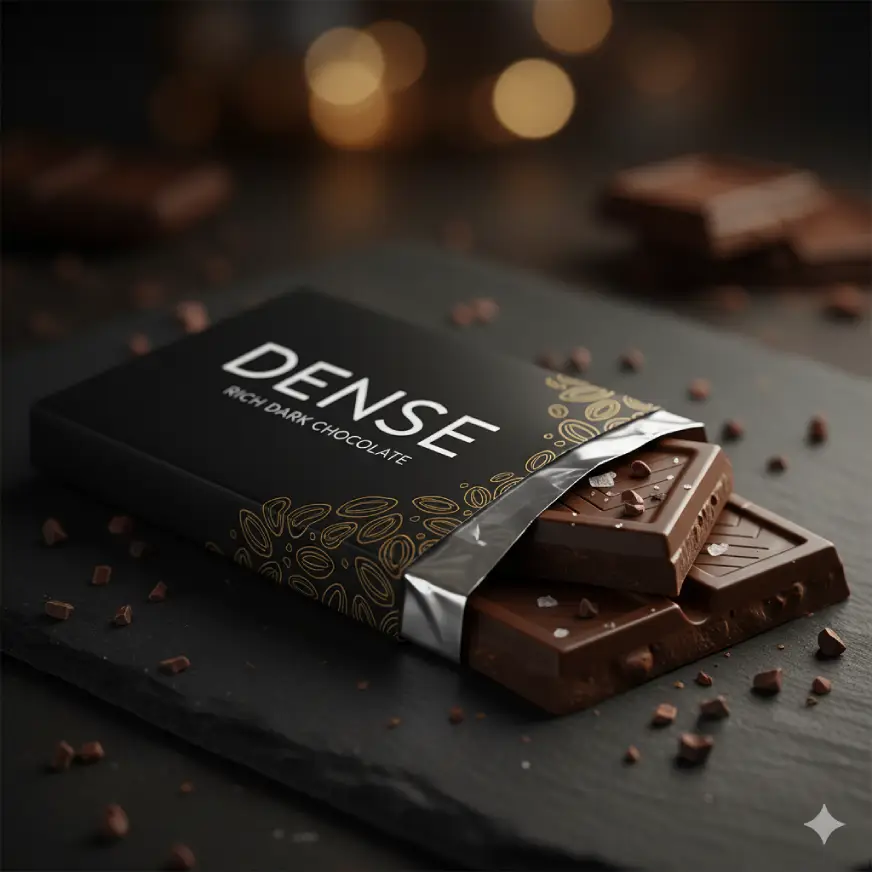
For this task, I am first going to create image of a chocalte bar using Nano Banana and then give that image to veo 3 to create a video.
Step 1: Image Generation
Prompt: “Create an HD image of a chocolate bar for an add. Packaging says dense chocolate bar.“
Output:
Step 2: Video Generation
Prompt:
{
  "start_image_reference": "[attached image of the schoolgirl holding the Dense chocolate bar]",
  "video_script": {
    "scenes": [
      {
        "description": "The video begins with a close-up of the schoolgirl smiling.",
        "camera": "close-up",
        "duration": "2 seconds"
      },
      {
        "description": "The camera quickly pulls back and pans to show a rapid series of shots of the chocolate bar itself.",
        "camera": "pull back, pan, quick cuts",
        "shots": [
          "close-up of a square breaking off",
          "slow-motion view of the chocolate melting",
          "shot of the 'Dense' packaging shimmering"
        ],
        "duration": "5 seconds"
      },
      {
        "description": "The video returns to the schoolgirl, who winks at the camera as the scene fades.",
        "camera": "final close-up",
        "duration": "3 seconds"
      }
    ],
    "overall_style": {
      "visual": "High-energy, modern, vibrant colors, sharp focus",
      "audio": {
        "music": "Upbeat, modern pop music with a strong beat",
        "sound_effects": [
          "satisfying 'crunch'",
          "subtle 'whoosh' sound as camera moves"
        ],
        "voice_over": {
          "text": "Don't just eat chocolate. Experience it. Dense. Bold. Unforgettable.",
          "tone": "confident, energetic, female voice"
        }
      }
    },
    "text_overlays": [
      {
        "text": "Dense Chocolate",
        "animation": "flash on screen, then fade",
        "timing": "appears during chocolate bar shots"
      },
      {
        "text": "Taste the richness.",
        "animation": "appears as a logo tagline",
        "timing": "appears at the end of the video"
      }
    ]
  }
}
Output:
I edited my prompt and added a spin to the ad copy. Checkout below:
Prompt:
{
  "ad_video_guidelines": {
    "scene": "This is your script. It describes the sequence of events, what the subject is doing, and how the action progresses.",
    "camera": "Specific camera instructions (like \"zoom-in,\" \"pan,\" or \"quick cuts\") help direct the AI to create a cinematic feel.",
    "style": "Use descriptive words to define the overall look and mood. Words like \"cinematic,\" \"realistic,\" \"vibrant,\" and \"warm\" give Veo a clear visual direction.",
    "audio": "Veo can generate native audio, so it's crucial to describe the sounds you want. This includes music, sound effects, and voice-overs. Including specific descriptions like \"acoustic guitar melody\" or \"satisfying crunch\" will lead to a better result.",
    "text_overlay": "Since you're creating an ad, you need to tell Veo what text to put on the screen and when. This is where you can add your brand name, tagline, or a call to action."
  }
}
Output:
Task 4: Reaction Videos
In this task, I will first create a video of a news reporter and then make a video of her telling people that they should stay at home.
Step 1: Generate image using Nano Banana
Prompt: “A full handheld shot captures a drenched female reporter in a bright yellow raincoat”
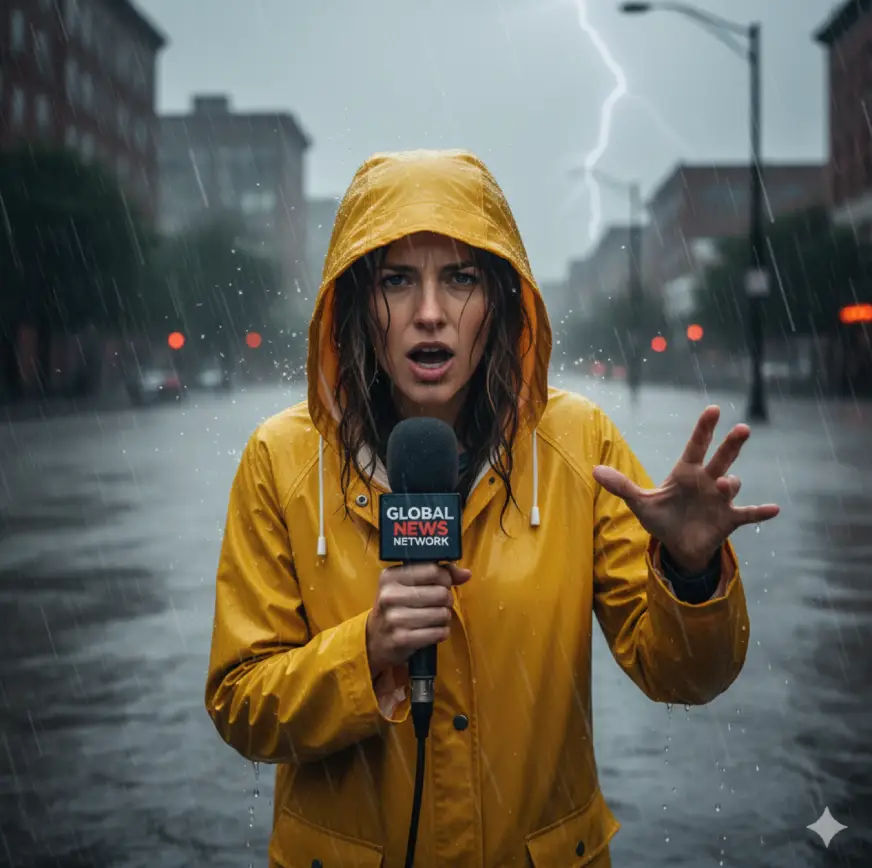
Step 2: Upload the image generated by nano banana and then write the following prompt:
Prompt: “A full handheld shot captures a drenched female reporter in a bright yellow raincoat, clutching her microphone as he braces against howling wind and driving sheets of rain. The frame trembles with urgency, water splashing violently around his knees as he shouts into the storm. “The flooding has reached critical levels….. please stay home for thie next 3 days.“
Output:
Also Read:
Conclusion
Google’s AI tools like Veo 3 and Nano Banana are a big win in 2025. They make it very easy to create fun and professional content. With Nano Banana, you can quickly make high-quality images. With Veo 3, you can turn simple ideas into videos that look like they were made by experts. In this article, we saw how these tools can be used for course promotions, vlogs, ads, and reaction videos. They are fast, simple, and creative. If you want to make content for social media, marketing, or even just for fun, Google’s AI tools are one of the best choices today.

Hello, I am Nitika, a tech-savvy Content Creator and Marketer. Creativity and learning new things come naturally to me. I have expertise in creating result-driven content strategies. I am well versed in SEO Management, Keyword Operations, Web Content Writing, Communication, Content Strategy, Editing, and Writing.
Login to continue reading and enjoy expert-curated content.