- To cancel your Google One subscription, you have to open the Google One app and then head over to Manage plans, then scroll down all the way, and you will find an option to cancel your subscription.
- In this article, I will share the exact same steps I took to successfully downgrade my storage plan from 2TB to 200 GB.
- Even with all the images, videos, and documents, I was not able to cross the 200GB mark, so now that my plan is renewed, that too without any notice or email ( which should have been there).
I had the opportunity to review the Pixel 9 Pro XL, which came with a free 2TB storage plan. Which I happily upgraded to, but in reality, I do not need the 2TB storage. Even with all the images, videos, and documents, I was not able to cross the 200GB mark, so now that my plan is renewed, that too without any notice or email ( which should have been there). I would like to downgrade my storage plan to the basic 200GB plan. Although i was not really sure how to do it and when i asked my friends and family none of them did either. Google made it tough to find, but I managed to locate it anyway. In this article, I will share the exact same steps I took to successfully downgrade my storage plan from 2TB to 200 GB.
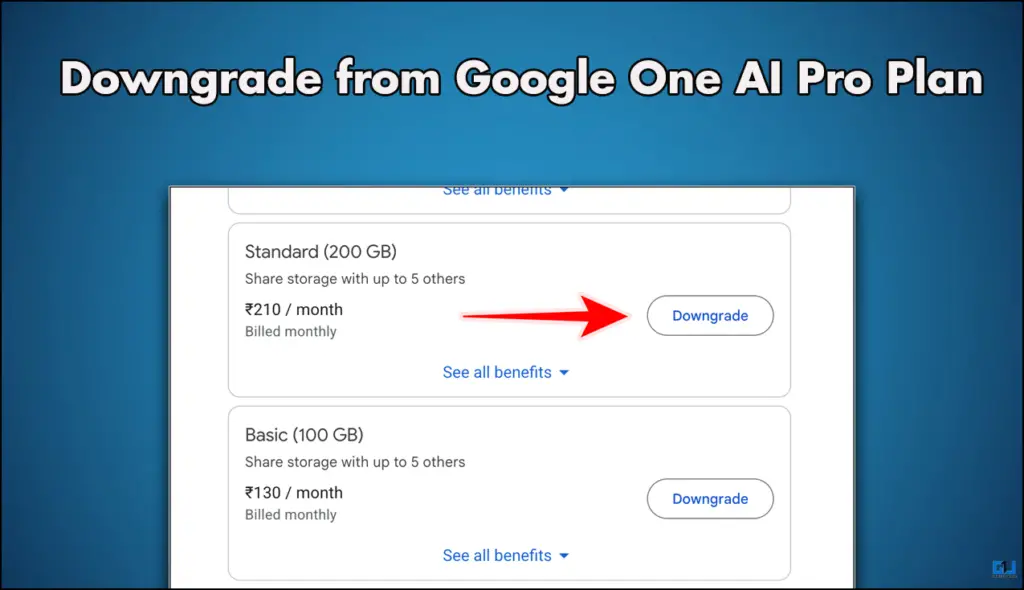
Google does not want you to downgrade
Upgrading your storage plan is extremely simple; the option is always available to you. However, if you wanna downgrade, you have to dig a little deeper. You can find the option on the Google One app’s homepage. Once you downgrade, the plan will come into effect from the next month, and you will receive an email stating the same. Furthermore, the storage plans with no AI privileges are stashed deep, and you can only see them if you choose to see all the plans. Google only recommends the plans containing AI privileges. So be smart and go through all the options first.
Downgrade Google Storage Plan on Mobile App
The process is not that long if you know where to find the right plan. Now, for this, we need to have the Google One App or website open on your device. Follow the steps for better execution.
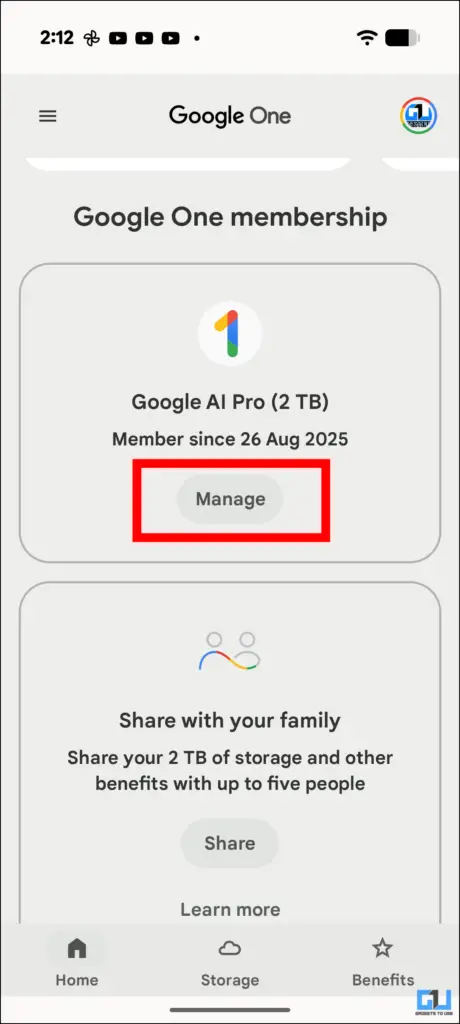
1. On the Google One app, scroll down to the Google One membership section.
2. Under your active plan, you will see a Manage button; tap on it.
3. From the next menu, scroll down and tap on See more plans.
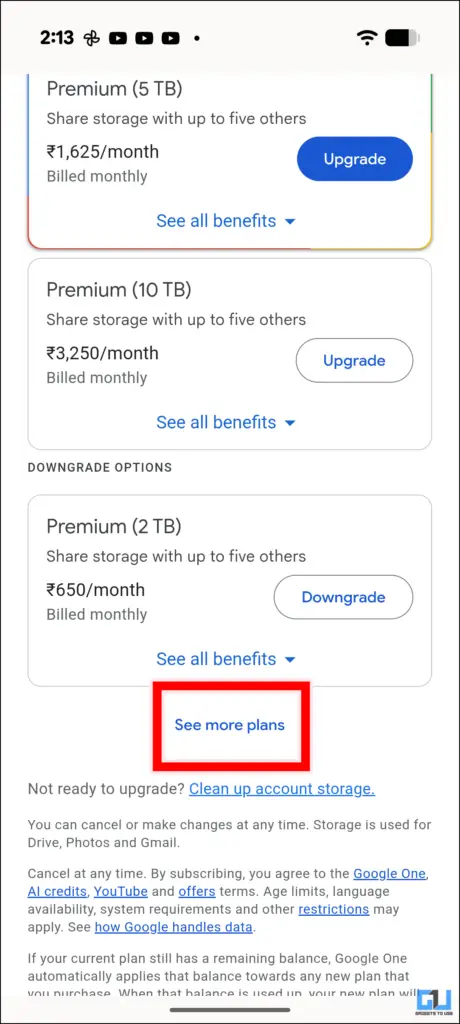
4. After you tap on it, you will see all the plans to which you can downgrade your current plan.
5. Once you are sure of the plan you want, tap on the Downgrade button next to that plan.
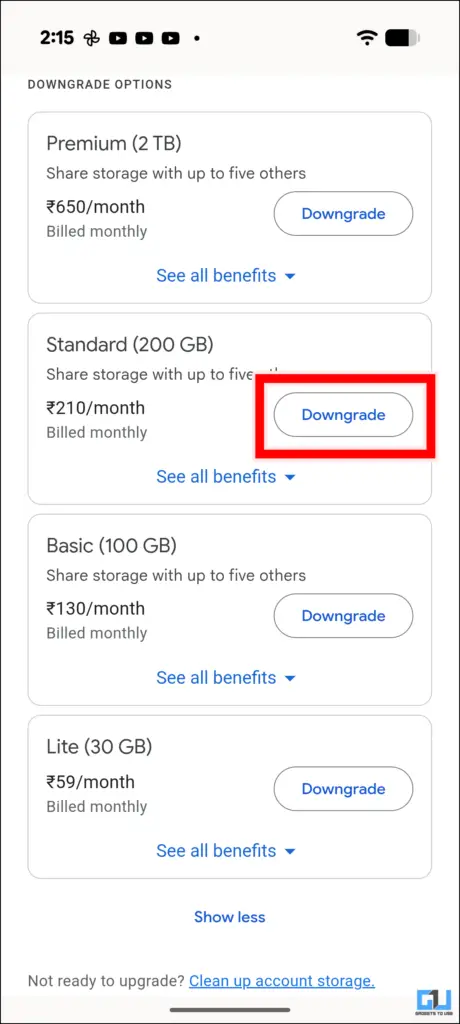
6. Tap Yes, continue, and confirm that you want to downgrade.
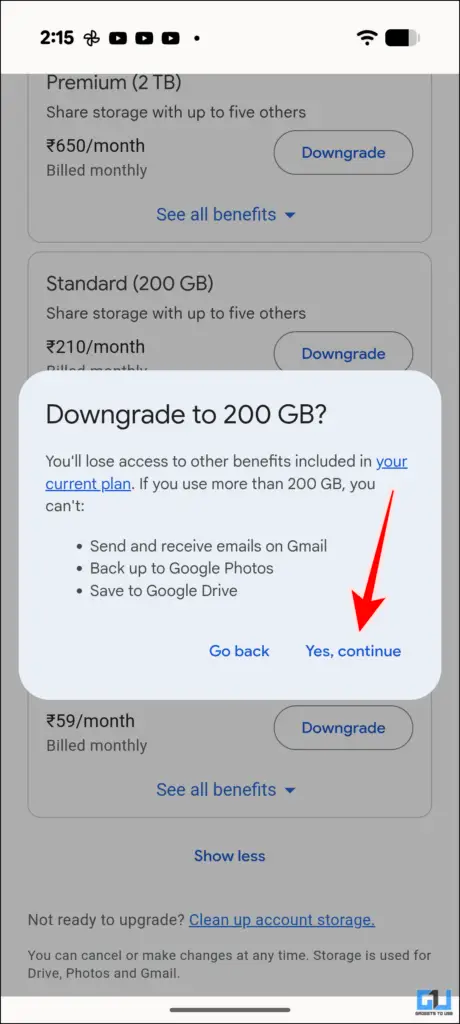
After you do this, you will receive a confirmation email with further details about your current and updated plan.
Downgrade Your Storage Plan on PC
The process is similar to that of the mobile app. Simply follow the steps mentioned below.
1. Open the official Google One page for all the plans.
2. Scroll down and click on See all plans.
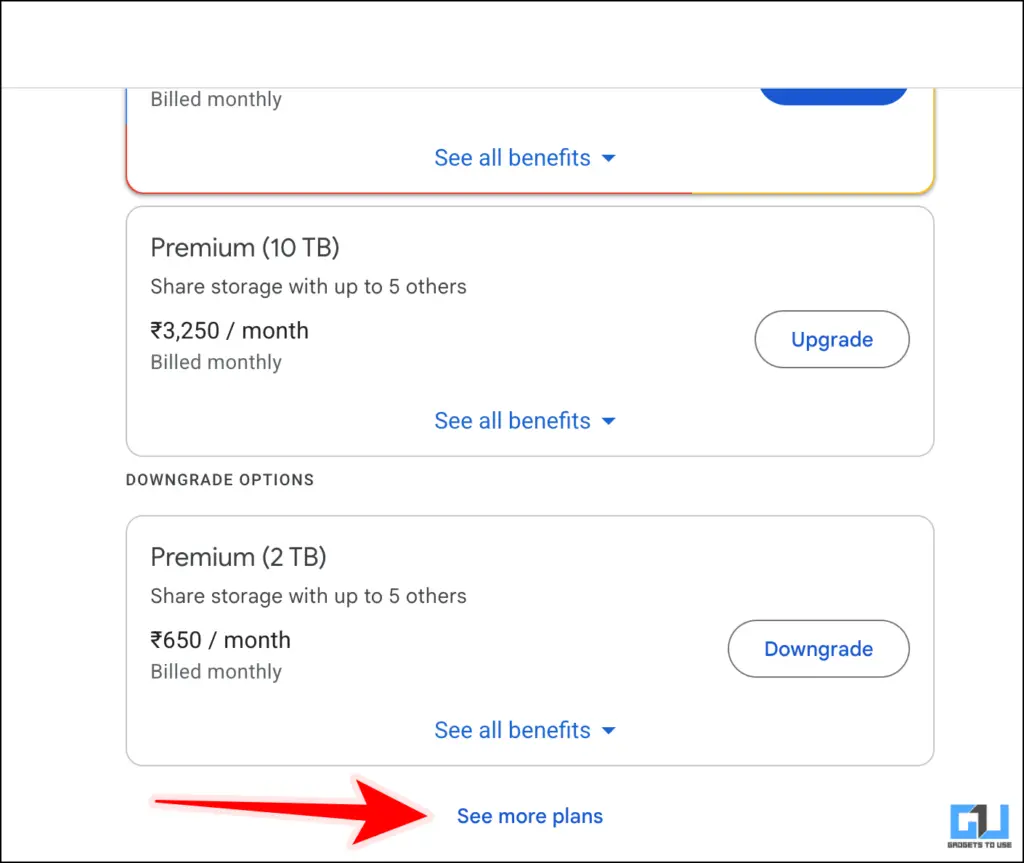
3. Choose from the given plans and click on Downgrade next to them.
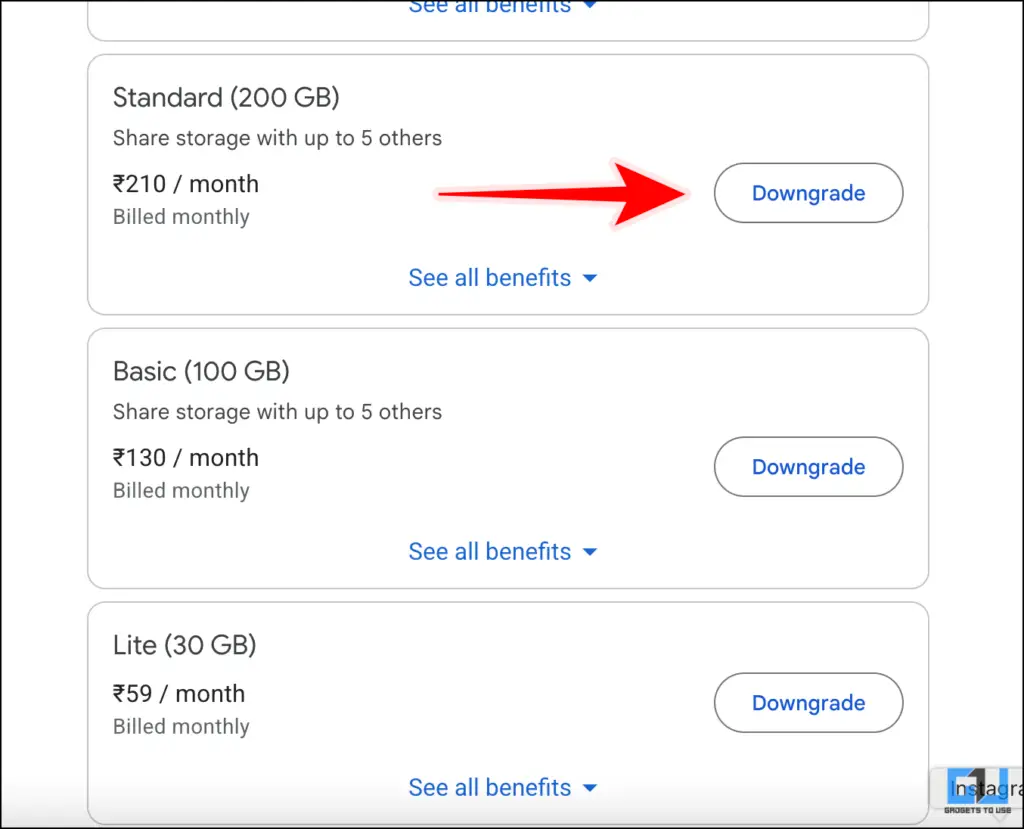
4. Click on Yes, continue to go ahead with the downgrade.
FAQs
Q. What is the cheapest Google storage plan there is?
The cheapest Google storage plan is the Lite plan, costing INR 59 per month, and this offers you 30GB of storage. The best and most opted option is the 100GB one.
Q. How can I cancel my Google storage subscription?
To cancel your Google One subscription, you have to open the Google One app and then head over to Manage plans, then scroll down all the way, and you will find an option to cancel your subscription.
Wrapping Up
In this article, we have discussed the exact steps you need to take if you are looking to downgrade from your current Google One plan. The process is fairly simple once you know where to begin. You can also cancel your subscription using the same menu just scroll down all the way.
You may also like to read:
Have any questions related to our how-to guides, or anything in the world of technology? Check out our new GadgetsToUse AI Chatbot for free, powered by ChatGPT.
You can also follow us for instant tech news at Google News or for tips and tricks, smartphones & gadgets reviews, join the GadgetsToUse Telegram Group, or subscribe to the GadgetsToUse Youtube Channel for the latest review videos.
Was this article helpful?
YesNo