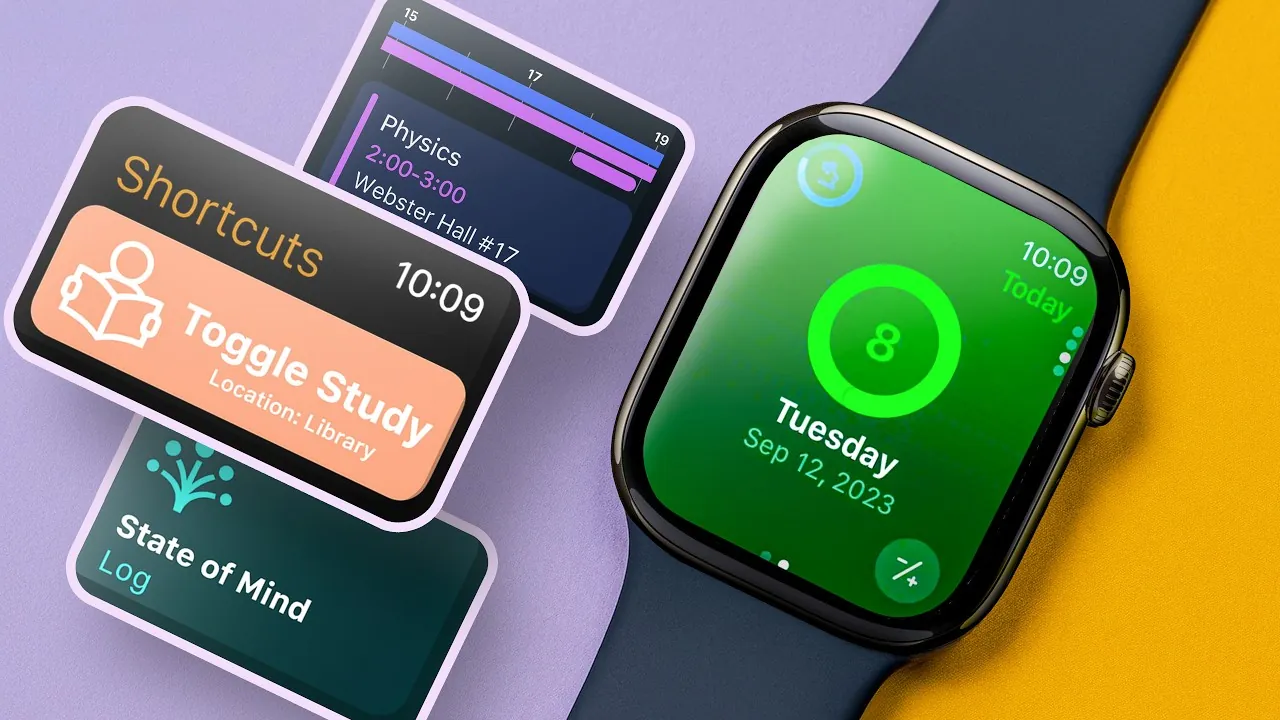
The Apple Watch is not just a fashionable accessory; it is a multifunctional device that can significantly enhance a student’s academic experience. With its wide range of customizable features, built-in tools, and support for third-party apps, the Apple Watch can help you stay organized, manage your time effectively, and boost your overall productivity. By integrating this device into your daily routine, you can streamline your academic responsibilities and focus on what matters most. The video below from Nikias Molina gives us more details.

Customizable Watch Faces: Your Personal Dashboard
One of the most practical features of the Apple Watch is its customizable watch faces, which allow you to display essential information at a glance. These watch faces can be tailored to suit your specific needs, making sure that the most relevant tools are always accessible. For example, the Modular watch face can include complications such as:
- Reminders: Keep track of assignments, deadlines, and important tasks.
- Timers and Alarms: Set study session timers or wake-up alarms to maintain a structured routine.
- Weather Updates: Plan your day effectively by staying informed about the weather.
- Class Schedules: Quickly reference your timetable to stay on top of your commitments.
By setting up a watch face that prioritizes your most-used tools, you can save time and stay focused throughout your busy school day.
Built-in Tools for Enhanced Productivity
The Apple Watch comes equipped with a variety of built-in tools designed to help you stay organized and productive. These features can simplify your academic life and ensure you remain on top of your responsibilities:
- Apple Reminders: Create and manage task lists directly on your wrist, making sure you never forget an important deadline.
- Silent Alarm: Use gentle haptic feedback to wake up or receive alerts without disturbing those around you.
- Siri Integration: Perform tasks like setting reminders, starting timers, or conducting quick calculations using voice commands.
- Voice Memos: Record lectures, ideas, or notes instantly, eliminating the need for a separate recording device.
- Apple Notes: Access synced notes across all your devices, making it easy to review study materials on the go.
These tools are designed to simplify your daily routine, allowing you to focus on your studies without unnecessary distractions.
Effortless Navigation with Gestures and Shortcuts
The Apple Watch’s intuitive gestures and shortcuts make it easy to interact with the device, saving you time and effort. These features are particularly useful for students who need quick access to essential tools:
- Wrist Flick: Dismiss notifications with a simple flick of your wrist, keeping interruptions to a minimum.
- Double-Tap Gestures: Answer calls or switch between apps effortlessly, even when you’re on the move.
- Customizable Control Center: Prioritize tools like Focus modes, timers, or reminders for easy access.
These small yet impactful features streamline your interactions with the device, allowing you to stay focused on your tasks.
Time Management Features for Academic Success
Effective time management is crucial for students, and the Apple Watch offers several features to help you stay on track and make the most of your day:
- Taptic Time: Subtle vibrations mark the passing of each hour, helping you stay aware of time without needing to check your watch.
- Focus Modes: Customize notification settings to minimize distractions during study sessions or specific tasks.
- Calendar Integration: Sync your class schedule and important events to receive timely reminders and updates.
These tools can help you maintain a structured routine, making sure that you allocate your time effectively and meet your academic goals.
Third-Party Apps to Enhance Your Experience
In addition to its built-in features, the Apple Watch supports a wide range of third-party apps designed to meet the unique needs of students. Some of the most useful apps include:
- Timetable: Organize your class schedule and track homework assignments with ease.
- Focus To-Do: Combine the Pomodoro technique with goal tracking to maximize productivity.
- Cheat Sheet: Store quick-reference information like passwords or key exam details for easy access.
- WaterMinder: Monitor your hydration levels and set daily water intake goals to stay healthy and focused.
These apps complement the Apple Watch’s native tools, offering additional functionality tailored to your academic life.
Additional Features to Simplify Your Routine
The Apple Watch includes several smaller features that can make a significant difference in your daily routine. These tools are designed to address common challenges and improve your overall experience:
- Flashlight: Use the adjustable brightness to discreetly illuminate your surroundings or locate items in the dark.
- Ping iPhone: Quickly locate your misplaced phone by activating its sound and flashlight.
- Force Quit: Close unresponsive apps to ensure your watch continues to run smoothly.
While these features may seem minor, they can save you time and reduce frustration in everyday situations, making your life a little easier.
Maximizing the Apple Watch for Academic Success
The Apple Watch is more than just a gadget; it is a versatile tool that can help you stay organized, manage your time, and enhance your productivity. By customizing watch faces, using built-in tools, and exploring third-party apps, you can tailor the device to meet your specific academic needs. Whether you are managing a packed schedule, staying focused during study sessions, or keeping track of assignments, the Apple Watch can be a valuable asset in navigating your student life with ease and efficiency.
Explore further guides and articles from our vast library that you may find relevant to your interests in Apple Watch for Students.
Source & Image Credit: Nikias Molina
Filed Under: Apple, Gadgets News, Guides, Top News
Latest Geeky Gadgets Deals
Disclosure: Some of our articles include affiliate links. If you buy something through one of these links, Geeky Gadgets may earn an affiliate commission. Learn about our Disclosure Policy.