- This can save a lot of your time since you do not have to check multiple apps, and you do not have to prompt Gemini to do this every time.
- I recently discovered that you can use Gemini to act as your personal newspaper, only feeding you the news you are interested in.
- In this article, I have discussed how you can program Gemini to give you a personalised news digest.
Gemini can do a lot, and I am still finding new things I can do with its help. I recently discovered that you can use Gemini to act as your personal newspaper, only feeding you the news you are interested in. This sounds a bit out there, but it does work; you only have to let Gemini know your area of interest. This can save a lot of your time since you do not have to check multiple apps, and you do not have to prompt Gemini to do this every time. So in this article, we will learn how to use Gemini to get you all the major headlines without any extra steps.
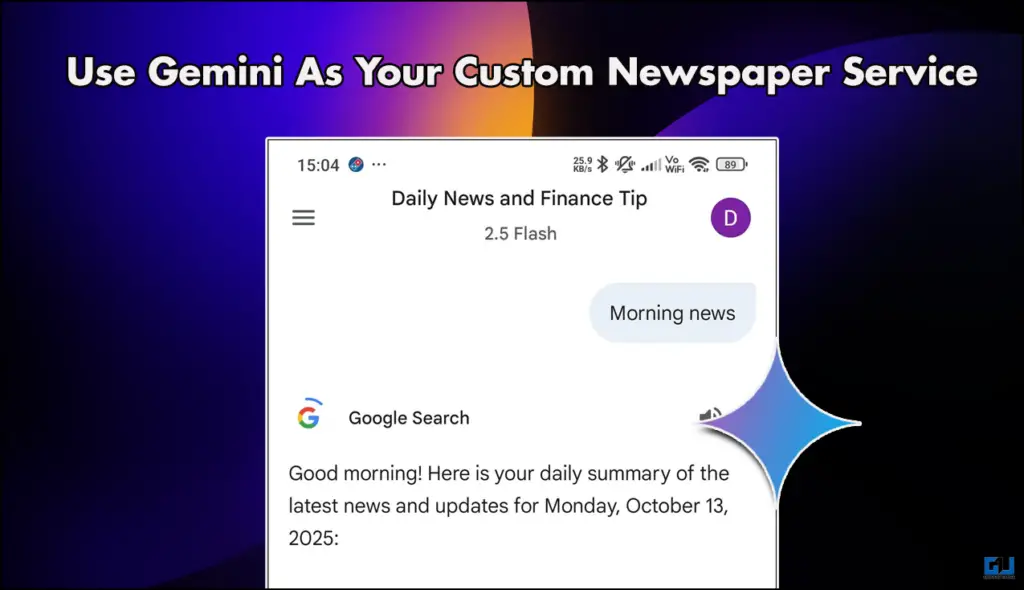
Your Morning Headlines now Personalized
Traditional newspapers are supreme, but Gen-Z and most people are now over them. Most of us like to just wake up and start doomscrolling. However, instead of just hopping on random apps, you get all the major headlines of your interests is always better. This is what you can achieve with a simple prompt using Gemini. Not only can you get the news, but you can also ask Gemini to give you a layover og your entire day. Gemini can do this by accessing your calendar and Emails. All this can be done by writing two simple prompts, and you can find these prompts in the section below.
Get Personalized News Using Gemini
You need to have the Gemini application on your smartphone; you can download it from the Play Store and App Store. Once you have downloaded, follow the steps mentioned below.
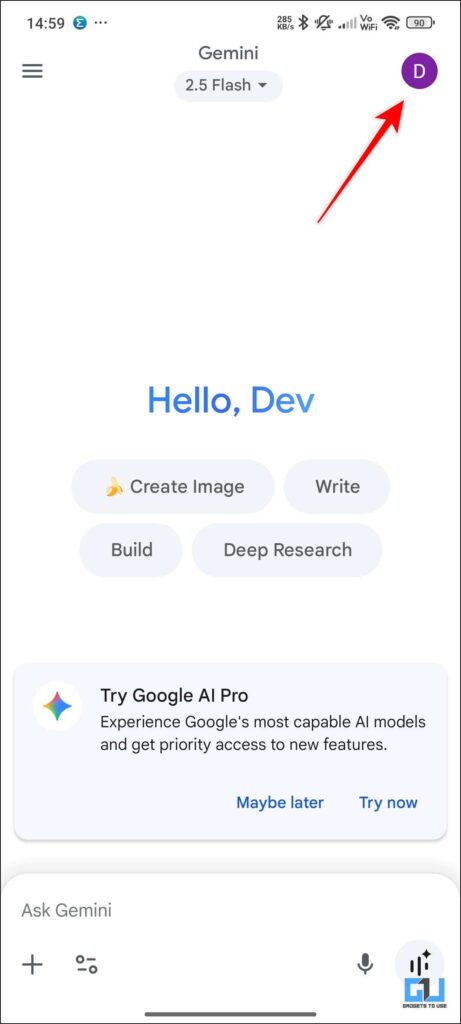
1. Open your Gemini application and tap on the profile icon on the upper right of the screen.
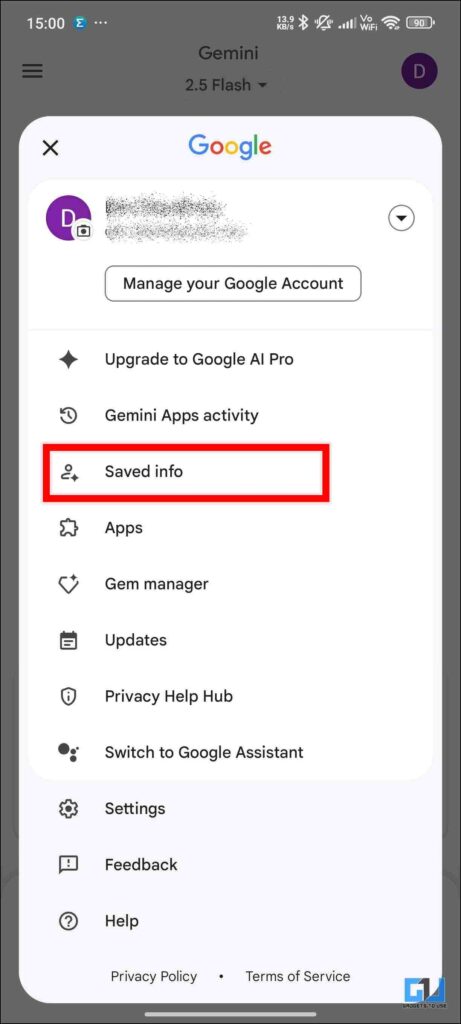
2. From there, tap on Saved info.
3. In the new menu, you will see an Add button. Tap on it.
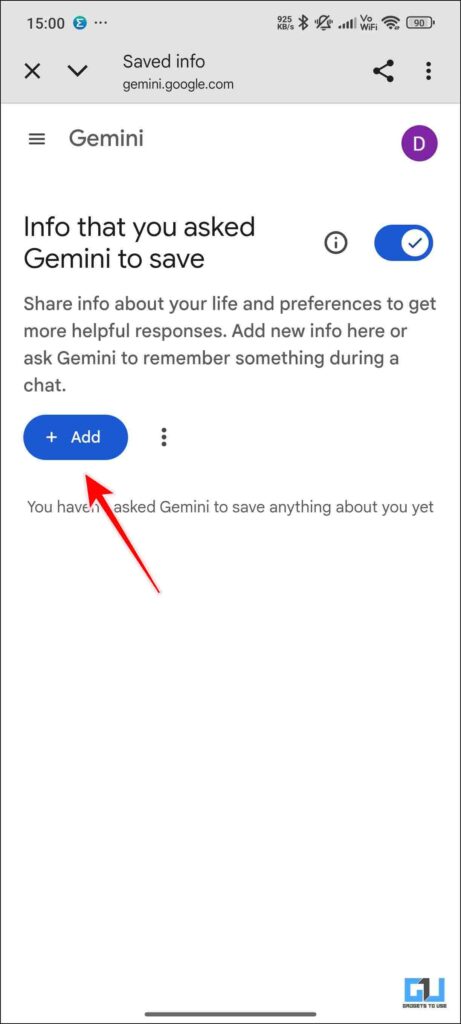
4. Enter the prompt mentioned below, and then tap on okay.
Create a daily morning summary of the latest news stories on world news, tech updates and artificial intelligence news along with major indian economic updates.Prioritize any smartphone news and ai news and also add one finance tip every morning.
You can share any anime updates if something new pops up.The keyword for this is Morning News
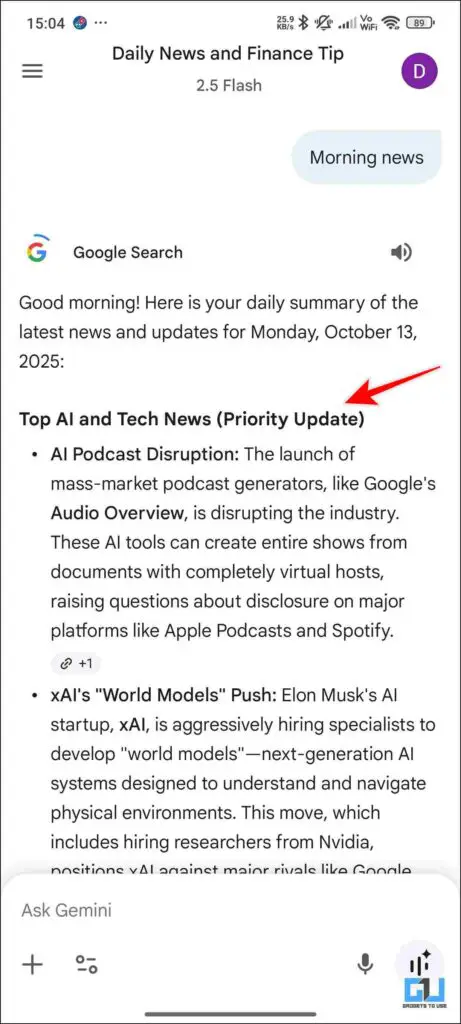
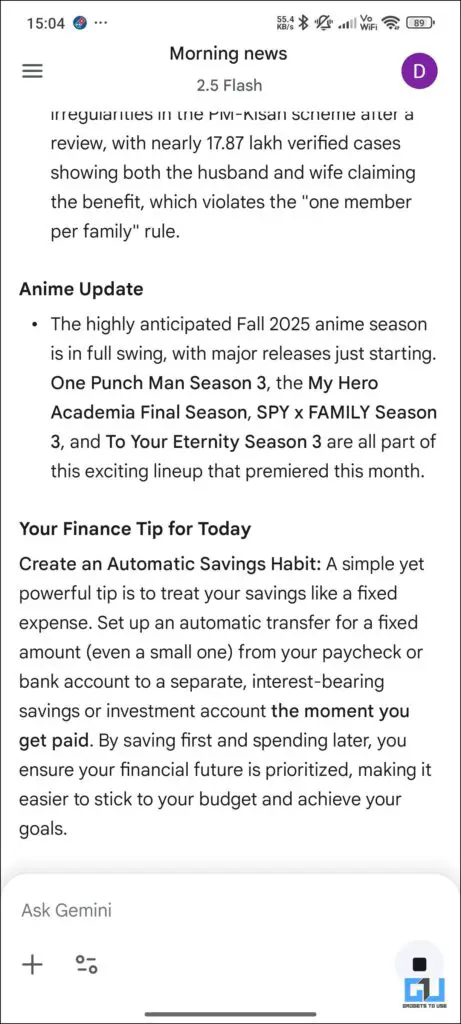
Note – You can also add your Google Calendar’s info and email updates into the daily digest, with a simple tweak to the prompt you had written earlier. However, the results of this are inconsistent; some days it works just fine, and some days Gemini is unable to access Gmail or Calendar to give me updates.
FAQs
Q. Can I use Gemini to track my calorie input?
Yes, you can use Gemini as your personal calorie tracker. You will need to enter all the food items you have consumed, and it can give you a calorie count. Furthermore, if you add what kind of diet you are planning, it can also give you suggestions.
Q. How to generate viral Gemini images?
For generating the viral Gemini images, you need to tap on Images when you open Gemini and enter the right prompt. If you have entered the wrong prompt, then the results can vary.
Wrapping Up
In this article, I have discussed how you can program Gemini to give you a personalised news digest. This works great for people who are always on the go. Furthermore, you can also ask it to choose the niches you want. I personally like to get financial advice to help me make better decisions, so I added that to my prompt as well. You can make your little changes.
You may also like to read:
Have any questions related to our how-to guides, or anything in the world of technology? Check out our new GadgetsToUse AI Chatbot for free, powered by ChatGPT.
You can also follow us for instant tech news at Google News or for tips and tricks, smartphones & gadgets reviews, join the GadgetsToUse Telegram Group, or subscribe to the GadgetsToUse Youtube Channel for the latest review videos.
Was this article helpful?
YesNo