We live in a mobile-driven era where iOS security apps are not just products; they’re the digital guardians of user trust, data privacy, and brand reputation. For every app owner, ensuring top-tier security has become necessary. As cyber threats grow more sophisticated, attackers are probing iOS apps for vulnerabilities, making iPhone application security crucial to gain user trust.
Even a single breach can cost millions, damage user confidence, and put businesses at risk of non-compliance with data protection laws. The stakes are simply too high to ignore.
But iOS app security best practices can help businesses deliver secure and high-performing iPhone apps. These practices proactive, strategic approach that safeguards your app at every layer, keeping both your business and users safe.
In this blog, we’ll explore the 10 iPhone application security best practices that every app should know. You’ll learn how to strengthen your app’s defense, protect sensitive data, and ensure your users experience great performance and lasting digital safety.
Why Businesses Should Build iOS Security Apps?
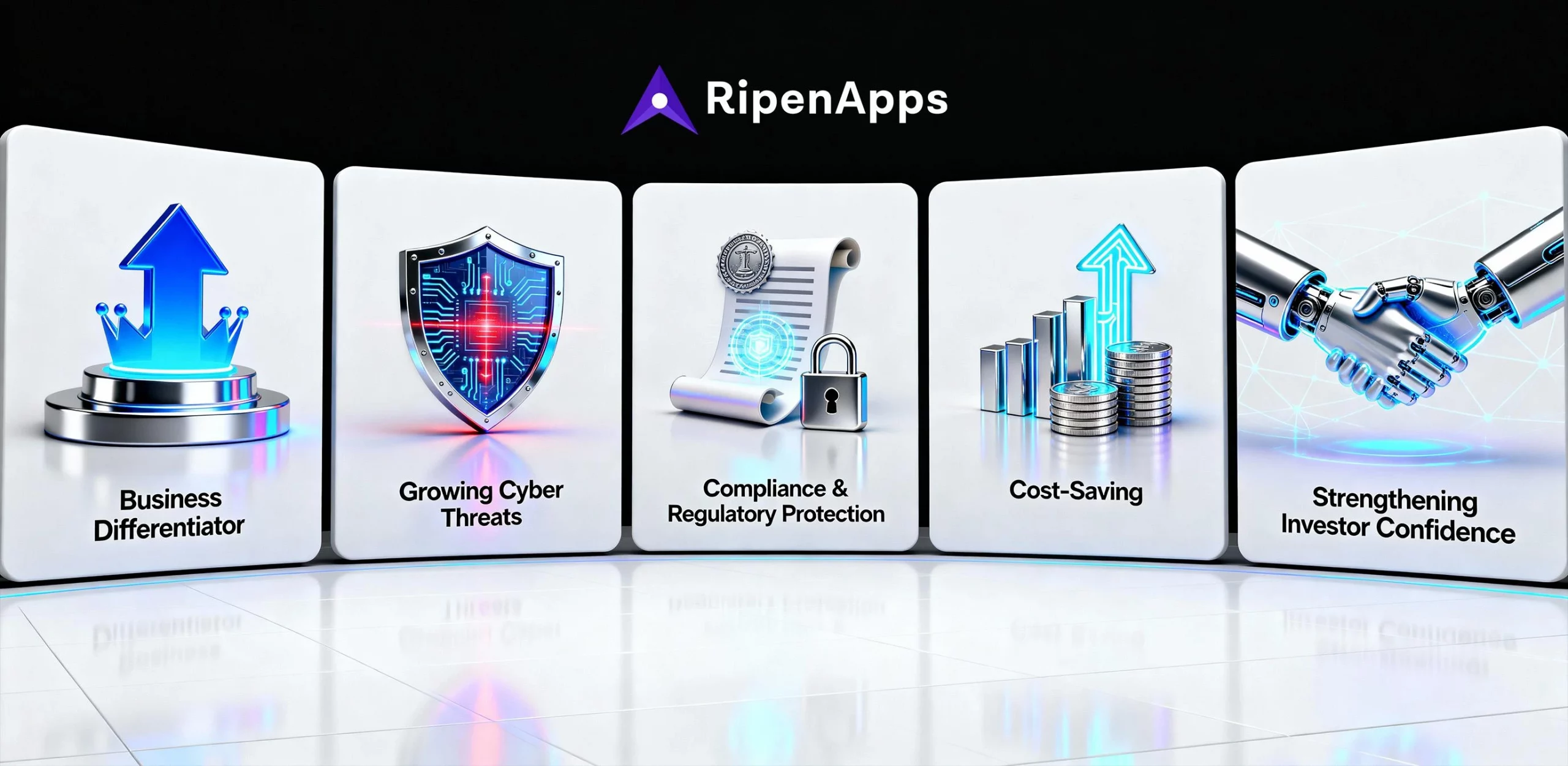
iOS security apps have become a business necessity. Whether you run a startup or a large enterprise, ensuring iOS application security directly influences your brand’s credibility, revenue, and long-term growth. Apple devices are widely trusted for their robust privacy and security framework, but relying solely on Apple’s protection isn’t enough anymore. This is where businesses need to step in with proactive, layered, and business-driven mobile application security best practices.
1. iOS Security is a Business Differentiator
Security is now a part of the brand experience. Customers choose applications that make them feel safe sharing personal information. By investing in iOS app security, businesses can turn safety into a competitive advantage.
When your app complies with the reliable mobile app development security best practices, such as secure authentication, data encryption, and regular audits, it fosters trust. Hiring experienced iPhone app developers can help you build a secure Apple app that builds user confidence and strengthens your business reputation.
2. Cyber Threats Are Growing
Technological advancements aren’t just empowering developers; they’re also empowering hackers. Understanding cybersecurity is key for modern app owners. However, iOS is known for its ‘walled garden’ model, but even this secure ecosystem isn’t immune to advanced cyber threats. With the number of iOS users rising, hackers target iPhone apps security through APIs, insecure storage, and unencrypted communication channels.
Every successful attack costs businesses both financially and reputationally. That’s why partnering with a custom app development company is necessary to adopt application security best practices, checklists, and follow iOS application security guidelines. By prioritizing secure iOS development, businesses protect user data, APIs, backend systems, and intellectual property.
3. Compliance and Regulatory Protection
With global data protection laws like GDPR, CCPA, and HIPAA, companies are legally required to ensure top-notch security. Non-compliance can result in severe penalties, lawsuits, and permanent damage to brand credibility.
The robust iOS security apps help your business stay compliant by implementing encryption, secure user authentication, and strong access control. These measures not only fulfill regulatory obligations but also build trust with investors, partners, and end users.
4. Cost-Saving Through Preventive Security
Facing a data breach can cost you more than you think because you need to cover legal fees, customer loss, and PR recovery. Investing early in app security best practices is far more affordable than dealing with the aftermath of an attack. This results in making your investment in iOS app development services more affordable.
A well-structured iOS app security framework, integrating secure coding, regular penetration testing, and encrypted APIs, saves businesses from costly re-engineering and downtime. Moreover, using the best practices for iPhone application security helps detect vulnerabilities before deployment, ensuring that your app remains safe post-launch.
5. Strengthening Investor and Partner Confidence
Investors, enterprise clients, and strategic partners view iOS security apps as a measure of operational maturity. A company that proactively implements mobile application security best practices demonstrates responsibility and readiness for growth.
When your iPhone apps security is robust, you’re not just protecting your users, you are sending a strong message to stakeholders that your business takes risk management seriously. This confidence can accelerate funding rounds, partnerships, and enterprise contracts.
10 iOS App Security Best Practices for App Owners
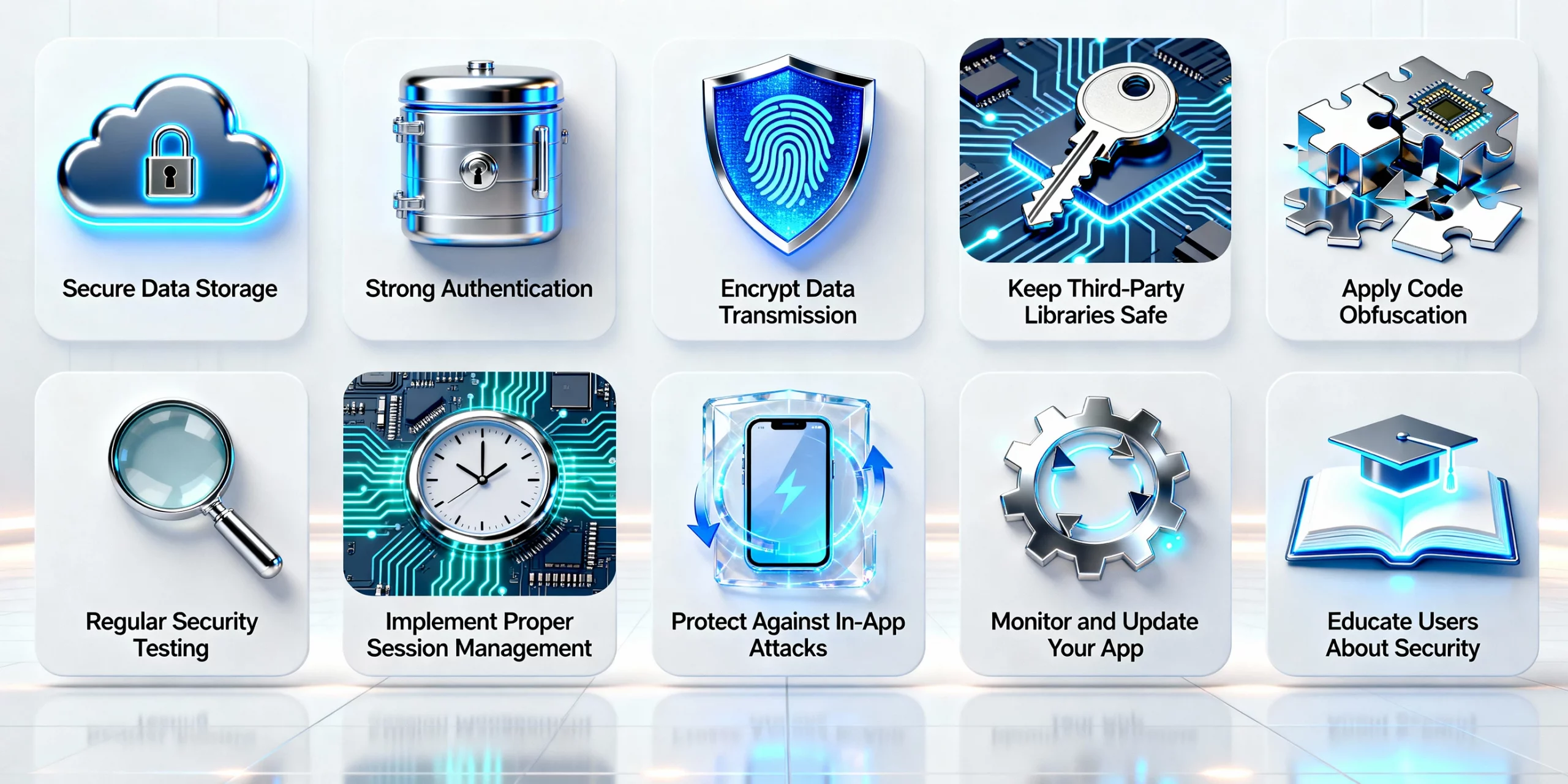
Building a secure iOS app requires writing flawless code and a digital environment users can trust. We’ve just discussed why app owners need to look beyond Apple app security standards and adopt a proactive, layered approach to increase iPhone application security. Following best practices for iOS security apps helps businesses safeguard what matters most: your users’ trust and your brand’s credibility. Here are the most useful and reliable mobile application security best practices:
1. Secure Data Storage
Sensitive information such as personal details, payment credentials, or proprietary business data must never be stored in plain text. Using encrypted local storage, secure keychains, and encrypted databases ensures that even if a device is compromised, your data remains protected. For business owners, this practice reduces the risk of costly data breaches and reassures customers that iOS data protection is handled responsibly, ultimately increasing user retention and loyalty.
2. Implement Multi-Factor Authentication
Passwords alone cannot protect your user accounts anymore. As a business owner, you need to implement multi-factor authentication while investing in mobile app development services, to add an extra layer of security, requiring users to verify identity through additional factors like SMS codes, authenticator apps, or biometrics.
From a business perspective, MFA in iOS security apps helps in preventing unauthorized access, minimizes fraud, and strengthens compliance with data protection regulations, making your app more attractive to security-conscious users and enterprise clients.
3. Encrypt Data Transmission
You need to encrypt data sent over networks to avoid interception. This can help you strengthen your app security during iOS app development and win user trust. Here are the practices to do this:
- Your developers must use HTTPS with SSL/TLS protocols for all network communications.
- Don’t use deprecated iOS encryption techniques like MDS or SHA-1.
- Get SSL Certificates to stop attacks.
When you encrypt data transmission, you make sure that the data sent between the iOS security apps and the server stays private and secure. It’s a “must-have” to complete secure iOS app development and make your applications handle financial transactions or personal information.
4. Keep Third-Party Libraries Safe
Many apps depend on third-party libraries for necessary features like social login, analytics, or payment processing. However, these libraries are crucial; they can create security risks. To avoid these risks and build iOS security apps, you need to follow some important steps:
- Use libraries from trusted sources.
- Keep libraries up to date to patch known security issues.
- Remove unused or outdated libraries from the application to reduce potential attack vectors.
Investing in mobile app development services in USA from an experienced company can help you ensure that you are not compromising on security.
5. Secure Your Code with Obfuscation
iOS apps can be reverse-engineered easily, revealing source code and making the application prey to hackers. However, this can be lowered with some important steps:
- Use code obfuscation tools to increase code complexity for attackers.
- Avoid including sensitive logic or secret keys in the codebase.
- Monitor and restrict app debugging during runtime.
Code obfuscation needs to be followed properly during the secure iOS app development process to safeguard proprietary algorithms or business logic.
6. Conduct Regular Security Testing
Security testing in iOS app development is a continuous business process that protects user trust and data integrity. For a secure iOS application, app owners need to establish ongoing testing cycles to detect and fix vulnerabilities before they escalate. Here are some important steps of mobile application development security best practices you need to follow:
- Use both static and dynamic code analysis to identify weak points.
- Perform penetration testing to simulate real-world attack scenarios.
- Integrate automated scanners to detect known iOS app security flaws.
By maintaining this routine, businesses ensure that their iOS security apps remain compliant, reliable, and resilient against modern cyber threats, preserving their brand’s reputation and customer confidence. If you are building an MVP, then you can follow the best ways for MVP testing for a successful app launch.
7. Implement Session Management
Strong session management is a fundamental part of iOS app security. It helps safeguard user data and prevents unauthorized access during active sessions. To maintain robust app security on iPhone, businesses need to follow some important steps, which are:
- Using short-lived authentication tokens
- Automatically expire inactive sessions
- Ensuring data is never stored in insecure areas
Following these application security best practices reduces risks such as session hijacking or unauthorized control. For enterprises managing sensitive transactions, proper session management ensures that every login, logout, and interaction happens in a secure iOS environment.
8. Protect Against In-App Attacks
Every iOS app, regardless of its sophistication, is a potential target for in-app attacks if not properly safeguarded. Businesses must prioritize proactive defenses as part of their objective of building a secure Apple app.
You can begin by validating all user inputs to prevent SQL injection or cross-site scripting (XSS). Restrict access to critical features using role-based permissions, and monitor for unusual activity patterns that may indicate an ongoing attack.
When you hire iOS app development company, it helps implement these security measures at the best level. It also ensures that iOS security apps align with iOS application security standards, giving users confidence that their personal data and actions are protected from iPhone hacker tools.
9. Monitor and Update Your App
Security isn’t limited to app launch. Ongoing monitoring and timely updates are crucial to maintain the best security for iOS devices. Here are the steps to update your mobile applications to transform them into iOS security apps:
- Regularly release patches and updates to fix vulnerabilities as they emerge.0
- Monitor logs for suspicious activity, access attempts, or data misuse.
- Stay aligned with Apple’s evolving iOS security guidelines and integrate them into your process.
This proactive approach helps you keep your security ahead of potential threats and helps your business maintain compliance with data protection standards. A continuously updated app is secure, and it wins user trust as well. Moreover, you can work closely with a globally-recognized iOS app development company in USA to ensure regular performance monitoring of your app.
10. Educate Users About Security
The final layer of protection in any iOS security app is the user. Even the best and secure Apple app can’t safeguard users who unknowingly compromise their data. Here are the steps to educate users:
Encourage users to install app updates regularly.
Make them avoid sharing personal credentials through unverified channels.Provide clear, in-app communication about how to report security iOS concerns or suspicious behavior.
For companies offering fintech app development services, embedding user education modules within the app can significantly reduce human error risks. Educating users reinforces your secure iOS ecosystem and strengthens your brand’s credibility.
Final Thoughts
Mobile applications are the heartbeat of business innovation, and iOS application security is a shield against chaos, threats, and it’s a ticket to trust. These top 10 iOS application security best practices are the foundation of customer trust, data, and your reputation.
By securing your iOS app with these best practices, you are winning customer loyalty, meeting compliance demands, and standing out in a crowded market of iOS apps.
However, building a secure iPhone app isn’t an easy task. You need to partner with an experienced mobile app development company. At RipenApps, we have mobile engineers with years of experience who know how to build a secure Apple app.

FAQs
Q1. How to make iOS security apps more resilient against cyber threats?
You can strengthen your iOS app security by implementing strong authentication, encrypted data storage, secure APIs, and regular vulnerability assessments. Integrating AI-driven threat detection and automated code analysis also ensures continuous protection against evolving attacks.
Q2. Are App Store guidelines enough to keep iOS apps secure?
While Apple’s App Store guidelines provide a solid baseline, they aren’t enough on their own. App owners must go beyond the basics by adopting advanced mobile app security practices such as runtime protection, secure backend integration, and data encryption for complete iOS security.
Q3. How often should iOS security apps be tested for vulnerabilities?
Regular security testing is essential. Ideally, iOS apps should be tested after every major update or feature release using automated tools and manual penetration testing to uncover new threats before they reach users.
Q4. What are common mistakes businesses make while building iOS security apps?
Weak security is one of the common iOS app development challenges, and some common pitfalls demand business attention. These common pitfalls are outdated libraries, skipping SSL pinning, weak session management, and ignoring third-party SDK vulnerabilities. Each of these can expose user data and compromise app integrity.