- Finally, when your profile is created, you can sync as many bookmarks as you want and never have to worry about them missing or breaking your storage structure.
- The best part is that Floccus is independent of Google or Microsoft, meaning it can be used with any browser and can manage your data.
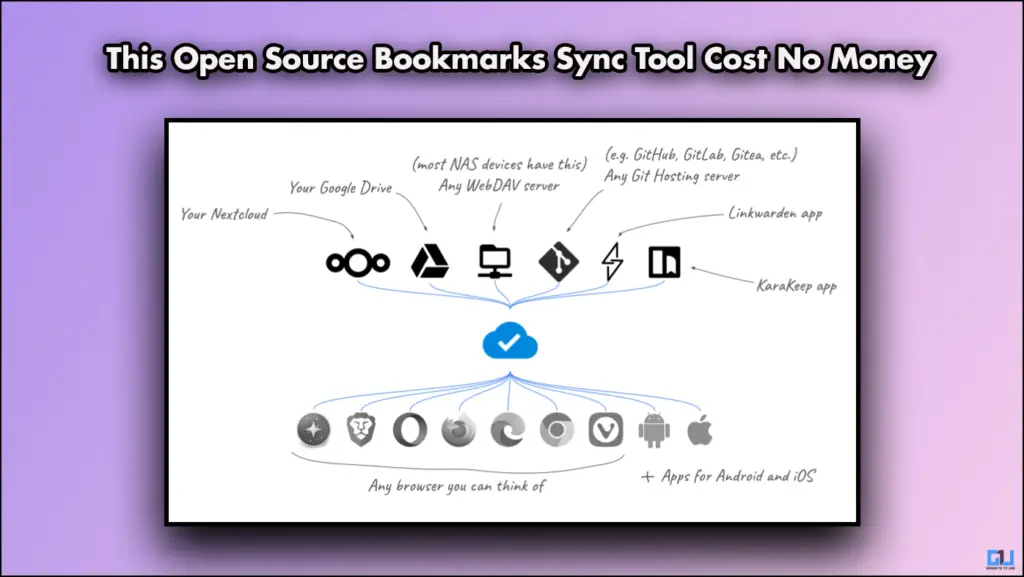
- You can sync bookmarks through the storage service, and it can be Google Drive, Nextcloud, or any cloud storage facility of your choice.
Google Chrome is hard to quit, not because of the extensions, themes, or the UI. The real reason is the bookmarked pages. Now, whenever I try to shift to another browser, I can not access all my bookmarked pages. So to solve this, Floccus was made. Floccus very seamlessly solves the bookmark issue we all face. We are going to learn about Floccus and how it works in this article, so keep on reading.
Sync Bookmarks With Floccus
Floccus is an open-source bookmark synchronization tool that works across multiple browsers. You can sync bookmarks across browsers without any worries, be it Chrome, Edge, or Firefox. The best part is that Floccus is independent of Google or Microsoft, meaning it can be used with any browser and can manage your data. You can sync bookmarks through the storage service, and it can be Google Drive, Nextcloud, or any cloud storage facility of your choice.
How to Set Up Floccus?
The entire process is fairly easy; you can use it on both smartphones and on your PC. Follow the steps mentioned below.
1. Visit floccus.org on your device.
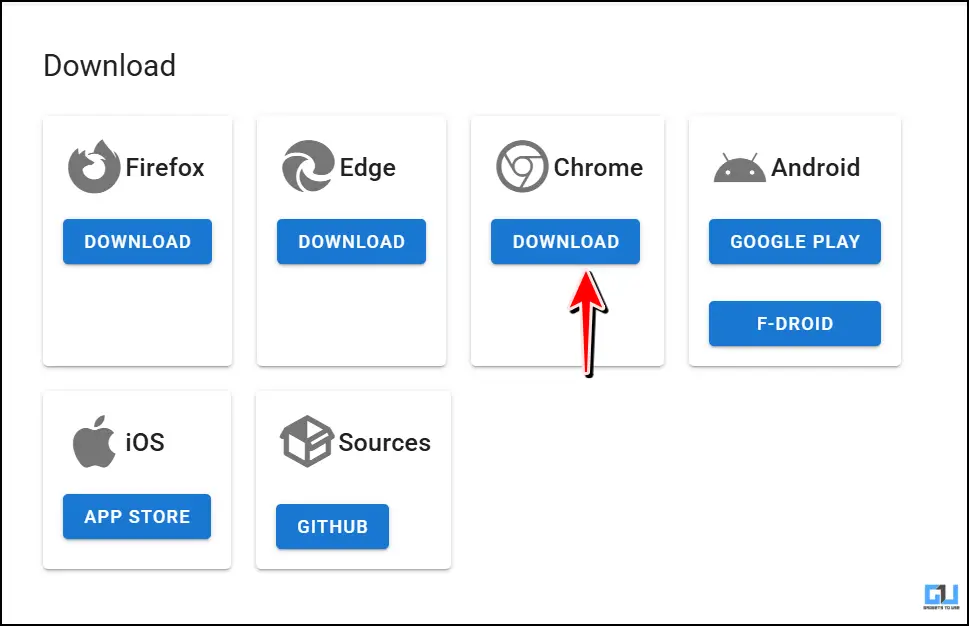
2. Click on Download and then choose your preferred option, and again tap on Download.

3. In Chrome, you can use it as an Extension. That is what I did.
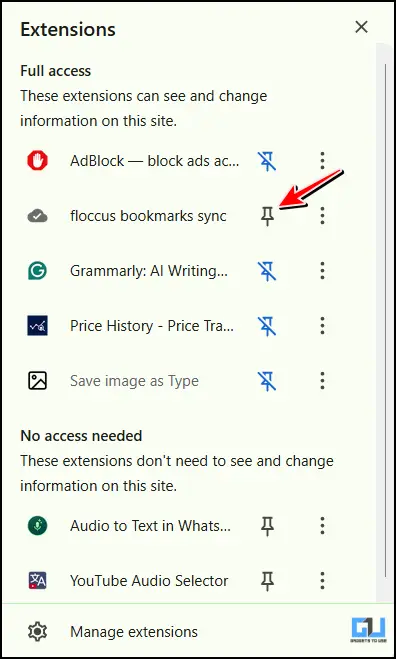
4. Pin the extension, then click on Create your Profile.
5. First, select your preferred storage option from the given options.
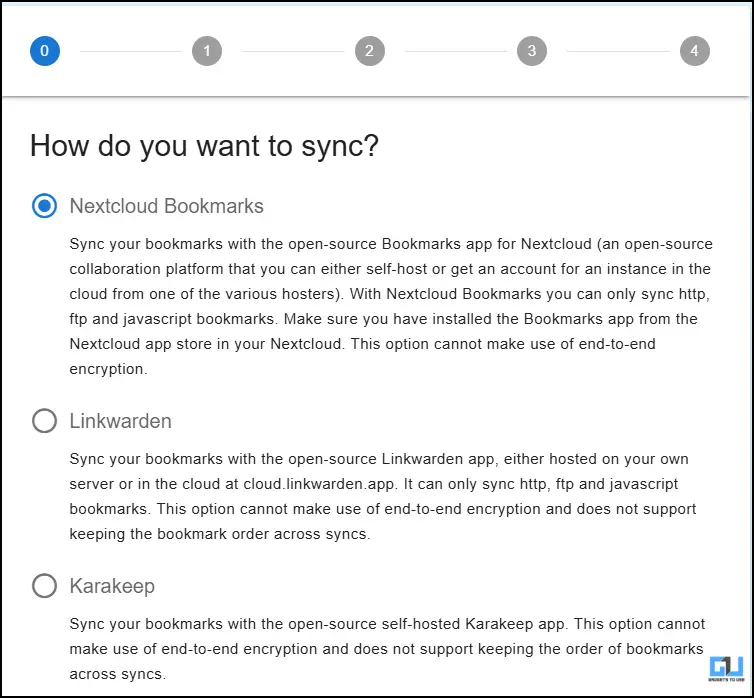
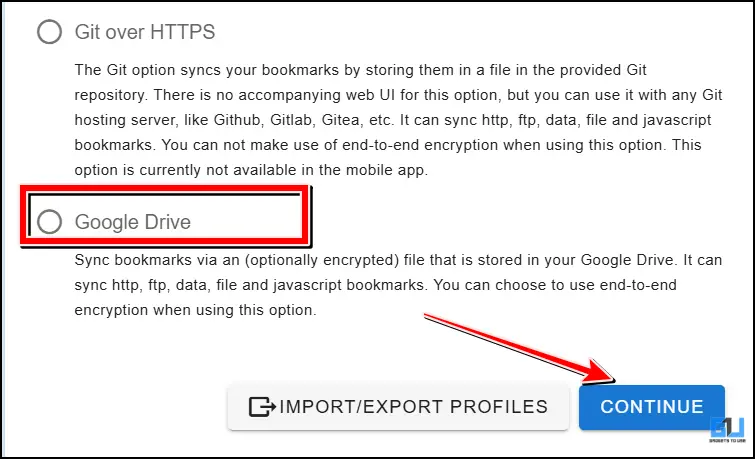
6. Name your profile, then click on Continue.

7. Then, log in to your Google Drive or preferred storage method.
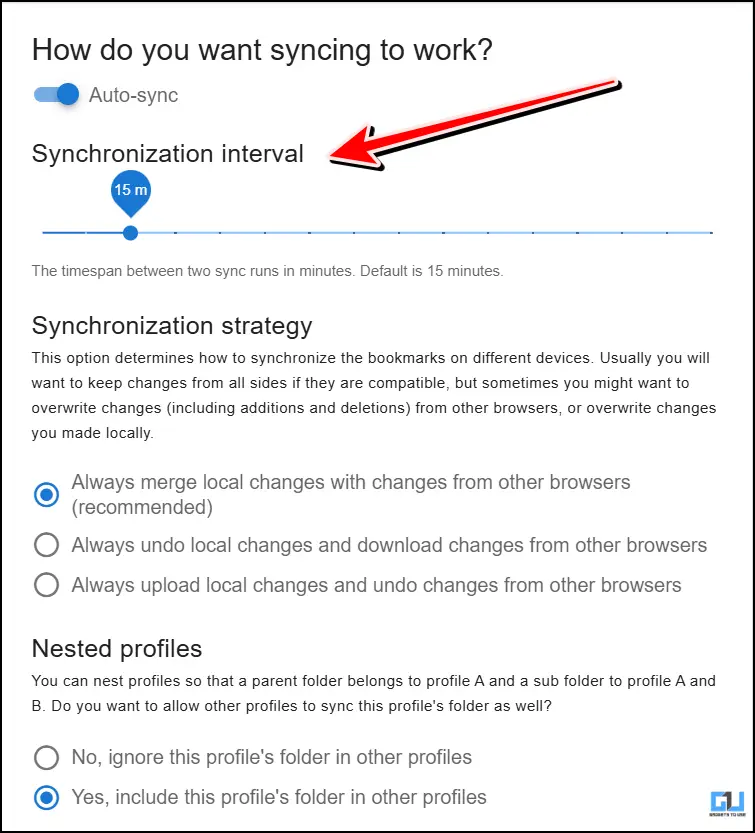
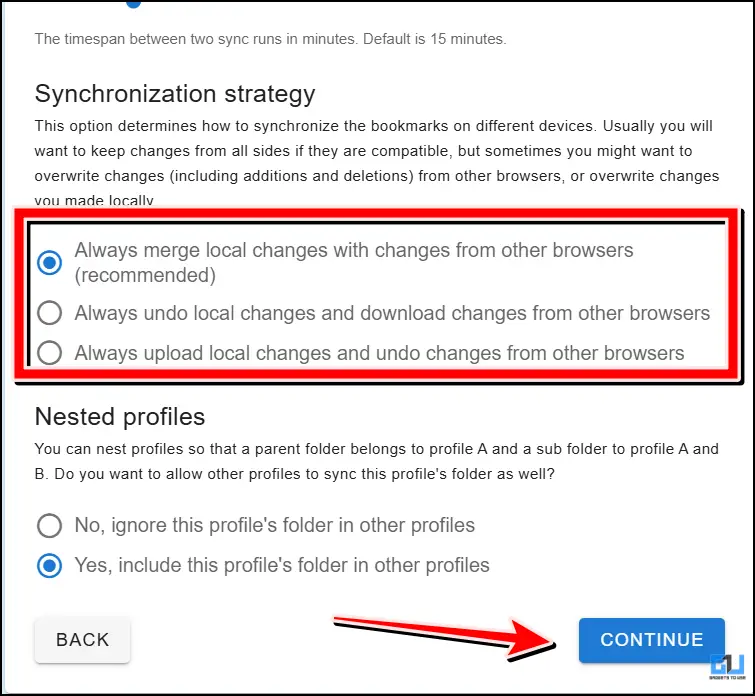
8. Choose the synchronization interval. You can also choose different folder synchronization options according to your needs. Once done, click on Continue.
Finally, when your profile is created, you can sync as many bookmarks as you want and never have to worry about them missing or breaking your storage structure.
FAQs
Q. How can I keep all my bookmarked pages in one place and access them easily?
You can use apps like Floccus that allow you to store any of your bookmarked pages without any hassle. Since they are stored in cloud storage, they can be easily accessed from any phone or any browser.
Q. Is Floccus free to use?
Yes, it is completely free and open-source. So if you are using it and liking it, then you can donate some money to help them keep this awesome thing afloat.
Wrapping Up
Floccus is a great application that not only helps you sort and store your bookmarks, but also offers accessibility. Meaning you can access your stored bookmarks from anywhere and can also sync them without any hassle. This even works with iOS devices.
You may also like to read:
Have any questions related to our how-to guides, or anything in the world of technology? Check out our new GadgetsToUse AI Chatbot for free, powered by ChatGPT.
You can also follow us for instant tech news at Google News or for tips and tricks, smartphones & gadgets reviews, join the GadgetsToUse Telegram Group, or subscribe to the GadgetsToUse Youtube Channel for the latest review videos.
Was this article helpful?
YesNo