A Real Experience Before Black Friday
It’s interesting how much light can influence a home’s rhythm. Too little, and the rooms feel closed in. Too much, and every glare or passing headlight becomes an unwelcome guest.
My apartment sits low, facing a busy street. That means constant movement, noise, and sunlight pouring through the glass. I’d tried curtains, blinds, even tinted films, but nothing struck the right balance between privacy, softness, and control.
That’s what led me to Yoolax. Their Top-Down Bottom-Up Cellular Shade promised a kind of quiet intelligence and the freedom to shape light on my own terms. Add the honeycomb insulation and motorized control, and it sounded like a shade designed for real life, not just interiors.

So, ahead of Black Friday, I decided to test it myself—no showroom trial, no installation crew — just an honest, at-home experience. And over the next few weeks, I realized how something as ordinary as a window shade could quietly change a space’s feel, look, and even sound.
Unboxing, Installation & Initial Setup
Ordering was simple. I just measured the window width, chose an inside mount, and followed Yoolax’s step-by-step setup instruction guide on their website. The shades run on a lithium battery motor, so there’s no need for cords or constant plugging in. Just charge, mount, and you’re done.
Installation took me under half an hour for one window. Calibration was quick too, and I could set favorite shade positions, so a single click moves it to my preferred spot every time. That small feature is a daily convenience you notice only when you have it.
If you’re new to DIY setups, don’t stress. The pre-calibrated brackets make alignment easy, and the included hardware feels sturdy and well-thought-out.
| Tip: Check for handles, window screens, or wall obstructions before ordering. I sent a quick photo to Yoolax support, and they confirmed my measurements before shipping. It saved me a re-order headache later. |
|---|
Once it was up, I finally got to see what the top-down/bottom-up design could really do.
Light, Control & Comfort in Everyday Living
Once the shades were installed, their real value revealed itself in the rhythm of my days.
Morning: The top lowers just enough — about 20 to 30 percent — to let daylight in while keeping the lower half closed. It brightens the space without giving up privacy.
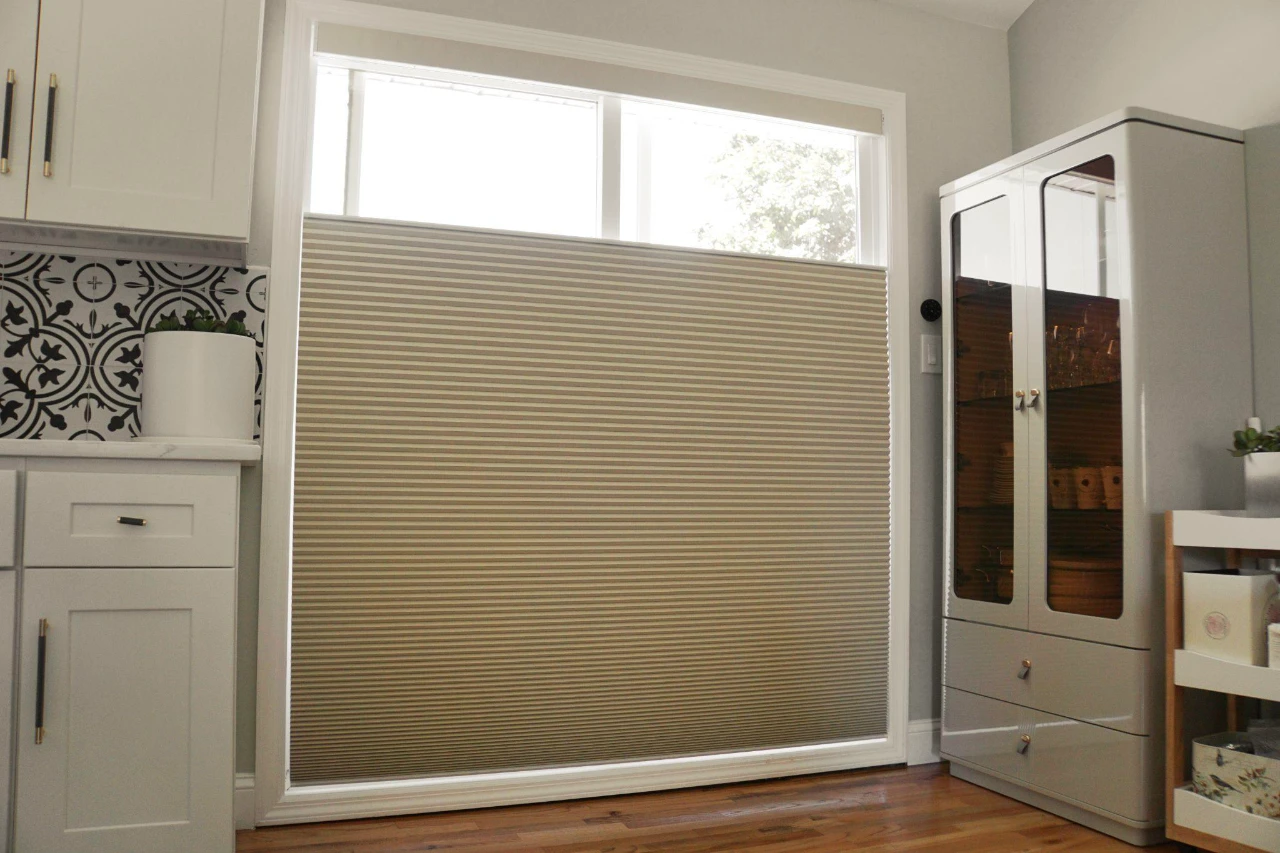
Afternoon: The western sun used to flood the room, but now I simply lower the bottom half to cut the glare. The light softens, my screen stays clear, and the room still feels open.
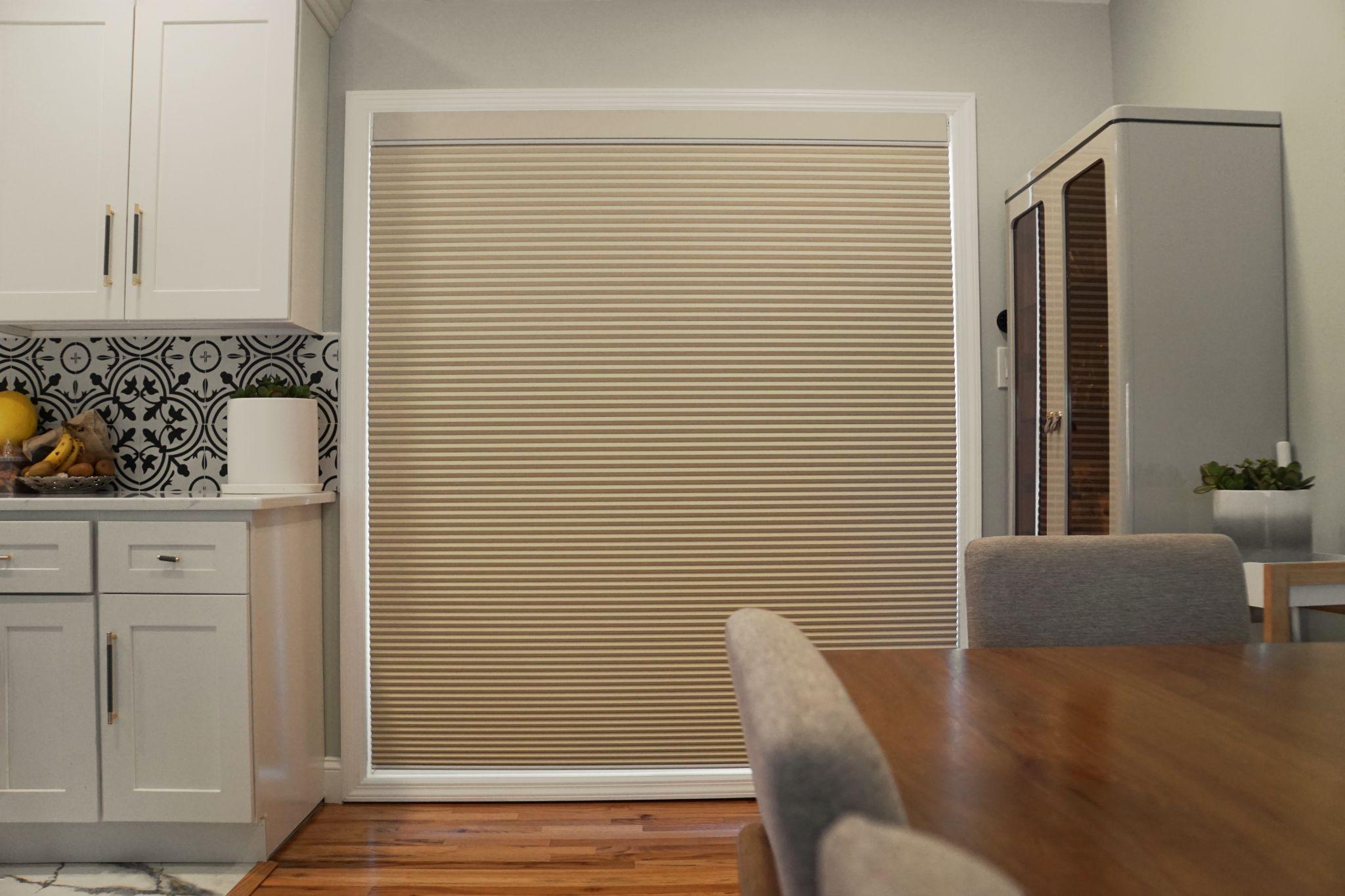
Evening: One touch, and the shades close fully, wrapping the room in calm. The motor movement stays whisper-quiet, with no lag or uneven pull, just a steady glide that fades into the background.
I easily integrated both shades into my smart home setup. They’re compatible with Alexa and Google Home, so I just linked them through the app and set my daily routine:
Sunrise: Shades open from the top to let in gentle daylight.
Sunset: They close halfway to soften the glare.
Bedtime: Full blackout mode for sleep.
It feels intuitive as the tech works for you, not the other way around. I even added simple voice commands (“Alexa, close the shade for bedtime”), which quickly became second nature.
How the Honeycomb Design Keeps Comfort In
When it comes to design, the honeycomb fabric isn’t just for looks. The double-cell design traps air in tiny pockets, forming a natural barrier that keeps indoor temperature steady.
During hot afternoons, I noticed the area near the window stayed noticeably cooler. The AC didn’t run as often, and the difference was subtle but real. The same insulation should work in winter too, keeping the chill out and comfort in.
The shade lifts quietly, and the motor’s low hum fades into the background, which is important when you’re working or relaxing.
Over time, it’s these small, consistent comforts that make you realize how much design thought sits behind the shade.
Blackout vs. Light Filtering: Which One Works Best?
After using both for a few weeks, here’s what I found:
Blackout: Ideal for bedrooms or media rooms. The darkness is complete, no glow from streetlights, no car headlights flickering in. It also makes naps ridiculously easy.
Light Filtering: Great for living areas and workspaces. The light stays soft and warm, even on bright days. It feels open but private, which I love to study.
Both shades share the same reliable motor and quiet movement, so the choice essentially comes down to mood — bright and open, or calm and cocooned.
Tips for Smooth Purchase and Fit
If you’ve made up your mind (and trust me, it’s an easy choice), here are a few more things I learned that’ll help you get the fit just right.
- Follow the Measurement Guides Closely: window handles and wall space can affect fit.
- Choose Mount Type: Inside mounts for a neat, integrated look; outside mounts for full coverage.
- Mix and Match: Blackout for sleeping zones, light filtering for social spaces.
- Use Smart Features: Automate light and privacy routines—you’ll never want to go back.
If you’re unsure, Yoolax’s support team can double-check your photos and dimensions before you order. They did for me, and it made the whole process worry-free.
My Black Friday Picks: Yoolax TDBU Honeycomb Shaes
If you’ve been thinking about upgrading your shades, Black Friday is the moment to do it. Black Friday deals run from November 20th through early December.
You can explore both versions here:
- Yoolax TDBU Honeycomb Shades – Blackout for bedrooms or home theaters.
- Yoolax TDBU Honeycomb Shades – Light Filtering for studies, living rooms, and open spaces.
To sum it up, when a product quietly makes your day easier, that’s when you know it’s worth it. And after living with these shades, I understand the brand tagline — “Relax, Yoolax Covers It.”
Filed Under: Gadgets News, Technology News
Latest Geeky Gadgets Deals
Disclosure: Some of our articles include affiliate links. If you buy something through one of these links, Geeky Gadgets may earn an affiliate commission. Learn about our Disclosure Policy.